

FlightScope X3C Launch Monitor
$14,995.00 USD


 Free shipping
on all orders!
 Easy no hassle
returns!
Details
- Doppler Based/ Fusion Tracking Launch Monitor
- 50+ Data Parameters
- Environmental Optimizer
What's included
- X3Launch Monitor
- Backpack
- Metalic Stickers
- E6 special license with 5 courses
FlightScope X3C Launch Monitor features
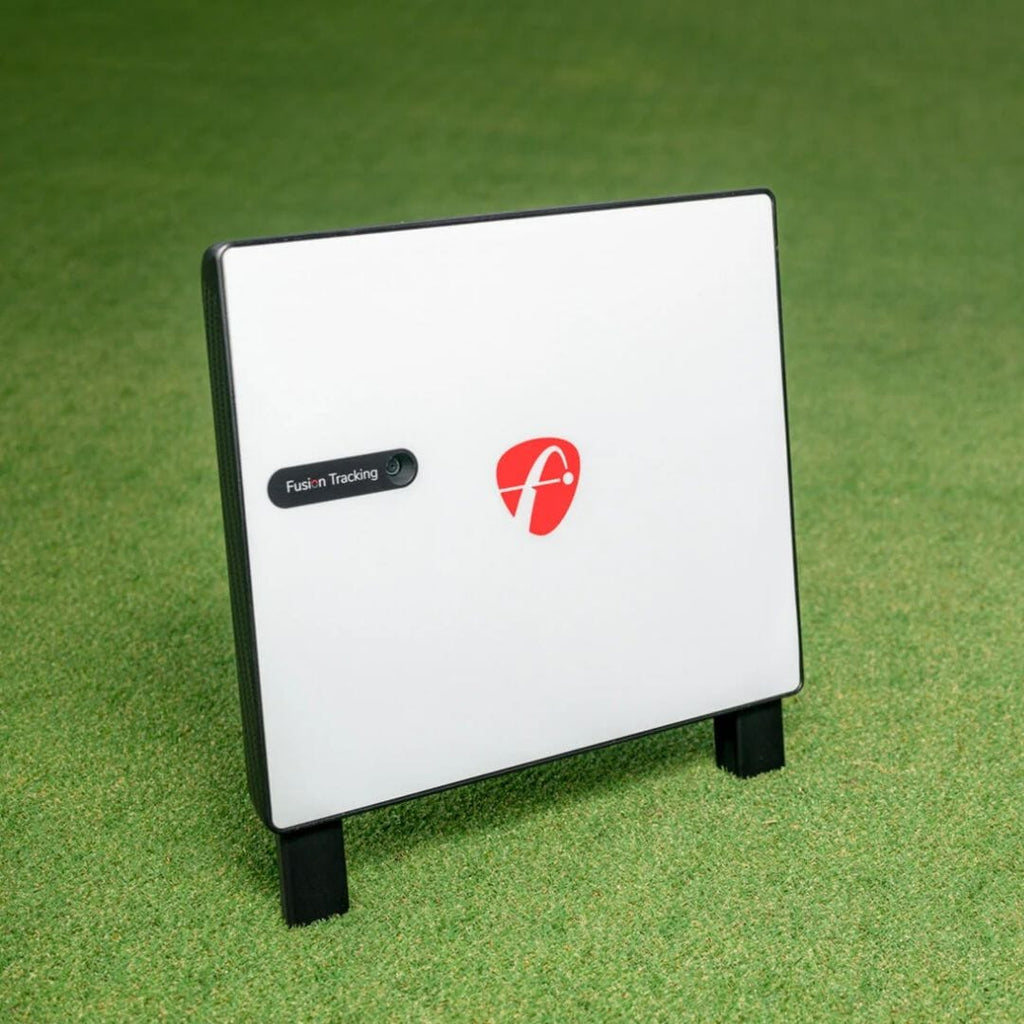
The FlightScope X3C is a launch monitor and simulator that uses 3D Doppler tracking radar and synchronized image processing for data accuracy. It tracks the golf ball from impact to landing and is designed for golfers, instructors, tour professionals, elite instructors, and club fitters.
50 Data Parameters
The launch monitor provides 50 data parameters for comprehensive analysis.
12 Golf Courses
The E6 Connect license includes 12 renowned golf courses for you to play.
Fusion Tracking Technology
This launch monitor uses patented Fusion Tracking technology for accurate golf performance data.

Indoor and Outdoor Use
The Fusion Tracking technology provides accurate and consistent data for shots both indoors and outdoors.
Video and Data Lesson Recording
The device automatically records, clips, and saves video of swings with data overlays for review and analysis.
Environmental Optimizer
The Environmental Optimizer allows you to change your environment without changing your physical location.
Why Golfers trust The Indoor Golf Shop
Everything You Need To Bring Golf home
From industry-leading golf equipment to custom simulator solutions, we deliver quality, expertise, and support you can count on.
SIGPRO Quality
We build our own — MyGolfSpy's top-rated impact screen and more.
Solutions for Any Golfer
Won't fit your room? We'll build one that does.
Fast Shipping
Most orders ship free to the lower 48. Details
Best Technology Prices
We buy direct — and match any lower price.
Financing
Spread the cost and golf sooner — options at checkout. Details
30-Day Returns
Changed your mind? 30 days to return. Details
Unrivaled Tracking with FlightScope Fusion Technology
Experience a new standard in golf performance analysis with the FlightScope X3C Launch Monitor. This advanced device from FlightScope integrates patented Fusion Tracking technology, combining the precision of 3D Doppler tracking radar with synchronized high-speed image processing. This innovative blend ensures exceptionally accurate and consistent data for every shot, whether you're practicing indoors or outdoors. The X3C functions as a comprehensive tracking radar, meticulously following the golf ball from the moment of impact through its entire flight path to landing. This robust tracking capability is ideal for golfers, instructors, and club fitters seeking detailed insights into performance.
Comprehensive Ball and Club Data Analysis
The FlightScope X3C provides an extensive array of 50 data parameters to meticulously analyze your game. For ball flight, you'll receive critical metrics such as Ball Speed, Launch Angle, Total Distance, Carry Distance, Roll Distance, Flight Time, Descent Angle, Height (apex), Spin Rate, Spin Axis, Lateral Landing, and Curve. On the club side, gain insights into your swing with data points like Spin Loft, Low Point (distance), Swing Plane, Dynamic Loft, Club Speed, Smash Factor, Club Path, Face to Path, and Angle of Attack. This wealth of information empowers you to understand and refine every aspect of your swing. No special marked balls or club stickers are required for this advanced analysis.
What's included
- FlightScope X3C Unit
- Power Adapter
- USB and Ethernet Cables
- 100 Aluminum Stickers
- Carrying Case
- 12-course E6 Connect License
- User Manual
- Tape Measure
FlightScope X3C Launch Monitor specs
Launch monitor
| Technology | Hybrid - Combine Both Doppler & Photometric |
| Data points measured | 50 |
| Ball data | Ball Speed, Launch Angle, Launch Direction, Carry Distance, Total Distance, Spin Rate, Spin Axis, Height (apex), Curve, Descent Angle, Flight Time, Roll Distance, Lateral Landing |
| Club data | Club Speed, Smash Factor, Club Path, Angle of Attack, Face Angle, Face to Path, Dynamic Loft, Spin Loft, Impact Location (face), Low Point (distance), Swing Plane |
| Hitting zone | 3 ft radius around the ball |
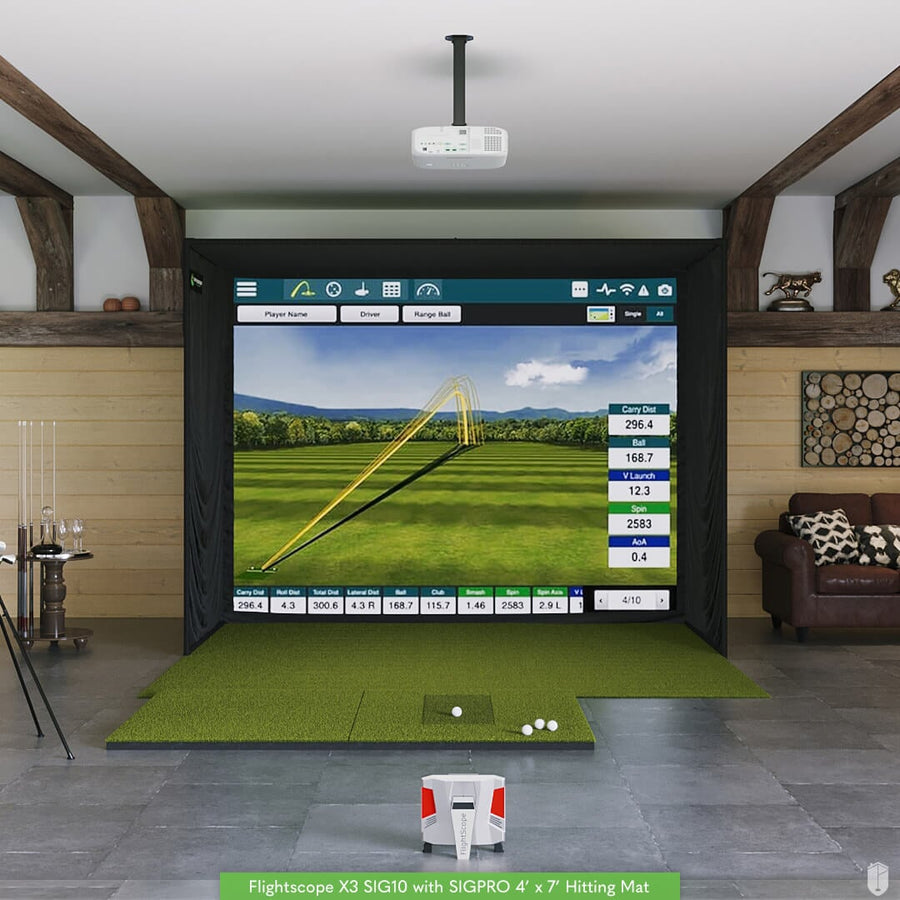
| Where it sits | Behind Golfer — 8-10 ft behind the tee, with at least 8 ft of ball flight |
| Connects by | Wifi, Ethernet |
| Power source | Lithium-polymer Battery |
| Battery life | 7+ hours |
| Use | Indoors & Outdoors |
| Impact video replay | Yes |
| Marked balls needed | No |
| Club stickers needed | No |
| Works with | GSPRO, E6 Connect, TGC 2019, Awesome Golf, Creative Golf 3D |
| Runs on | iOS, Android, Windows |
| Accuracy | ±0.1 mph ball speed, ±0.5 degree launch angle, ±0.5 degree azimuth, ±0.5% carry distance |
| Left-handed | Yes automatic |
| Max ball speed (mph) | 225 |
| Putting tracked | Yes |
| Sensors | 3D Doppler tracking radar and synchronized image processing |
| Shot delay (s) | 1.0 |
| Software included | FS Golf App, FS PC Software, E6 Connect Simulation License |
| Subscription required | No |
| Subscription cost | Free (no subscription) |
| Dimensions (W x H x D) | 12 x 10 x 1.875 in |
| Weight | 6.625 lb |
| Portable | Yes |
| Minimum room width | 12' 0" |
| Minimum room depth | 16' 0" |
| Minimum ceiling height | 9' 0" |
| Country of origin | South Africa |
Identifiers
| Brand | FlightScope |
| MPN | X3C |
| GTIN | 860000879699 |
Compare Launch Monitors
The FlightScope X3C Launch Monitor uses Doppler Radar and sits behind the golfer, offering 50 data points and 7 hours of battery life for both indoor and outdoor use. In contrast, the Foresight Sports GCQuad uses photometric technology and sits next to the golfer, but requires clubhead stickers. The Foresight Falcon and Trackman iO models are ceiling-mounted and indoor-only, with the Falcon offering 14 data points and the Trackman iO 18 data points, both requiring a subscription.

|
$14,995
|
FlightScope
|
Hybrid - Combine Both Doppler & Photometric
|
Behind Golfer
|
8-10 ft behind the tee, with at least 8 ft of ball flight
|
Indoors & Outdoors
|
Recommended room: 9 ft high x 14 ft wide x 19 ft deep
|
Ball Speed, Launch Angle, Launch Direction, Carry Distance, Total Distance, Spin Rate, Spin Axis, Height (apex), Curve, Descent Angle, Flight Time, Roll Distance, Lateral Landing
|
Club Speed, Smash Factor, Club Path, Angle of Attack, Face Angle, Face to Path, Dynamic Loft, Spin Loft, Impact Location (face), Low Point (distance), Swing Plane
|
Free (no subscription)
|
GSPRO, E6 Connect, TGC 2019, Awesome Golf, Creative Golf 3D
|
iOS, Android, Windows
|
Yes
|
Yes automatic
|
Lithium-polymer Battery
|
Ships in 5 - 7 Business Days!
|
|---|---|---|---|---|---|---|---|---|---|---|---|---|---|---|---|---|

|
From $9,999
|
Foresight Sports
|
Photometric
|
Next to Golfer
|
About 22 in from the hitting area, upright on a level surface at the same height as the hitting surface
|
Indoors & Outdoors
|
Recommended room: 10 ft high x 15 ft wide x 18 ft deep
|
Ball Speed, Launch Angle, Side Angle, Total Spin, Spin Axis, Side Spin, Back Spin, Carry Distance, Height (apex), Descent Angle, Off Line
|
Club Speed, Smash Factor, Club Path, Angle of Attack, Dynamic Loft, Lie Angle at Impact, Face Angle, Face to Path, Impact Location (face), Impact Offset (horizontal), Impact Offset (vertical), Closure Rate
|
Optional. Foresight+ Free $0, Silver $199/yr, Gold $599/yr. Course Pass $295/yr or Course Pass Pro $595/yr (needs Silver or Gold). 30-day trial included.
|
FSX Play, GSPRO, E6 Connect, Awesome Golf, Creative Golf 3D
|
iOS, Android, Windows, Tablet, Rangefinder Connection
|
Yes
|
Yes with repositioning
|
Lithium-ion Battery
|
Ships in 2 - 11 Business Days!
|

|
$16,999.99
|
Foresight Sports
|
Photometric
|
Ceiling Mounted Above Golfer
|
Ceiling-mounted, positioned about 4 ft ahead of the tee
|
Indoor Only
|
Recommended room: 9 ft high x width not specified in source data x 10 ft deep
|
Ball Speed, Launch Angle, Carry Distance, Spin Rate, Spin Axis
|
Club Speed, Smash Factor, Club Path, Angle of Attack, Face Angle, Lie Angle at Impact, Dynamic Loft, Impact Offset (vertical), Impact Offset (horizontal)
|
Free, Silver $199/year, Gold $599/year
|
GSPRO, E6 Golf
|
iOS, Windows, Rangefinder Connection
|
Yes
|
Yes automatic
|
AC Power
|
Ships in 3 - 15 Business Days!
|

|
From $13,995
|
Trackman
|
Hybrid - Combine Both Doppler & Photometric
|
Ceiling Mounted Above Golfer
|
Ceiling-mounted, positioned about 3'3"-3'5" ahead of the tee
|
Indoor Only
|
Recommended room: 9 ft high x 14 ft wide x 18 ft deep
|
Ball Speed, Launch Angle, Carry Distance, Flight Time, Descent Angle, Height (apex), Spin Rate, Spin Axis, Curve, Side Total Distance, Off Line
|
Dynamic Loft, Club Speed, Smash Factor, Club Path, Face to Path, Face Angle, Impact Offset (vertical), Impact Offset (horizontal)
|
1st Year Free, Home Edition $700 / year, Complete Edition $1,100/ year
|
—
|
Windows
|
Yes
|
Yes automatic
|
AC Power
|
Ships in 4 - 14 Business Days!
|

|
From $18,995
|
Trackman
|
Hybrid - Combine Both Doppler & Photometric
|
Ceiling Mounted Above Golfer
|
Ceiling-mounted 3'3" to 3'7" (98.5-110 cm) in front of each tee, measured from the tee to the centre of the bracket. Recommended 3'4" at a 9'8" ceiling (MID) or 3'6" at 10'2" (HIGH). The tee must be at least 8'6" (260 cm) from the screen.
|
Indoor Only
|
Recommended room: 9 ft high x 14 ft wide x 18 ft deep
|
Ball Speed, Launch Angle, Launch Direction, Spin Rate, Spin Axis, Hang Time, Height (apex), Curve, Landing Angle, Carry Distance, Side Distance, Total Distance, Side Total Distance
|
Club Speed, Smash Factor, Club Path, Angle of Attack, Face Angle, Face to Path, Dynamic Loft, Spin Loft, Impact Offset (horizontal), Impact Offset (vertical)
|
Home: first year included, then USD 700/year. Complete: USD 1,100/year.
|
—
|
Windows
|
Yes
|
Yes automatic
|
AC Power
|
Ships in 4 - 28 Business Days!
|
No launch monitors match your search.
Reviews
FlightScope X3C Launch Monitor Reviews
Frequently asked questions
How do I turn my FlightScope unit on/off?
How do I update the Firmware on the X3C?
Can I connect the X3C to my own software?
What are the Indoor Setup Requirements of FlightScope X3C?
What is Fusion Tracking?
FlightScope X3C Launch Monitor Delivery & support
What happens after you order: putting it together, the paperwork, and how to reach us.
Vendor Support
Phone: +1 407-412-9400
Hours: Monday-Friday 8:30a.m. – 5:00p.m CST
Live Chat: Available on website — https://flightscope.com
https://flightscope.com/pages/contact
User manual
Warranty
FlightScope covers its products for 12 months against defects in workmanship and materials, and guarantees repairs for 3 months. An optional SHIELD plan extends coverage.
Terms published by FlightScope.
Helpful links
Indoor Golf Shop Support Links
Protection plans
Covers manufacturer defects and accidental damage for 1 year
Full coverage for 3 years including parts and labor
Additional Protection Offered by The Indoor Golf Shop
Get peace of mind with additional coverage options from The Indoor Golf Shop, these solutions can be added to your product at the time of purchase for the best possible protection against damage or loss.
The links below are to file a claim or manage an existing plan.
Protects your order against loss, theft, or damage in transit. Add it at checkout; if a package is lost, stolen, or arrives damaged, file a claim with Route for a refund or replacement (generally within 30 days).
Extends coverage beyond the manufacturer's warranty and adds accidental-damage protection. Add a plan at checkout; manage your plan or file a claim anytime through your Mulberry account.
Learn More About The FlightScope X3C Launch Monitor

Connectivity and Setup Simplicity
The FlightScope X3C ensures reliable connectivity through its integrated Wi-Fi capabilities, including a 5GHz Wi-Fi Hotspot for robust wireless performance. Setting up the device is straightforward, thanks to its self-leveling feet and a new flip kickstand, allowing for quick deployment on any surface. The unit's design prioritizes ease of use, enabling golfers to spend less time on assembly and more time on their game.

Optimized for Your Practice Environment
To achieve optimal performance, the FlightScope X3C is designed to sit 8 to 10 ft behind the tee, directly behind the golfer. This placement ensures accurate data capture from its Doppler Radar tracking technology. The unit itself measures 12" (W) x 10" (H) x 1 7/8" (D) and weighs 6 lbs 10 oz, making it a compact yet powerful addition to your golf setup. With a battery life of 7 hours, you can enjoy extended practice sessions without interruption.
Designed for Versatility and Portability
The FlightScope X3C is engineered for both indoor and outdoor use, offering flexibility for your practice sessions. Its lightweight carbon fiber frame construction enhances portability, making it easy to transport and set up wherever you play. The unit features a built-in camera for visual feedback and operates wirelessly with a 5GHz Wi-Fi Hotspot, ensuring a stable and fast connection. For quick and easy setup, the X3C includes self-leveling feet and a new flip kickstand. This thoughtful design allows for rapid deployment, so you can spend more time focusing on your game.
Helpful Videos
Demos, reviews and how-tos from our team and the golf community.
FlightScope X3
The FlightScope X3 Launch Monitor combines 3D tracking radar and image processing for unmatched data accuracy. Trusted by the Pro's, the X3 provides the tools you need to take your game to the next level.
FlightScope Intro
FlightScope's new 3D doppler tracking launch monitor that can be used indoors and outdoors to help golfers improve their performance. Check out #ShopIndoorGolf to find your #FlightScope launch monitor package, or custom #GolfSimulator.
FlightScope Mevo+
The Mevo+ is FlightScope's new 3D doppler tracking launch monitor that can be used indoors and outdoors to help golfers improve their performance. Check out #ShopIndoorGolf to find your #FlightScope launch monitor package, or custom #GolfSimulator.