Trackman USB Swing Camera
$799.00 USD


Details
Compatible with Trackman Launch MonitorsRequires PC with Below Specs
- Windows 10 or 11 OS
- Intel i7 Processor or higher
- 32GB RAM or higher
- 1TB SSD PC storage
- PC GPO: Nvidia RTX 4070 Ti 12 GB RAM
What's included
- (1) USB Swing Camera (USEU1034),
- (1) 5 meter cable (USCA1031),
- (1) 1 meter cable,
- (1) adapter + 4 screws (USEU1035)
Trackman USB Swing Camera features
Trackman's USB Swing Camera records 120 fps swing video in Trackman Performance Studio (TPS) for swing review and AI motion capture. The kit includes the camera, 5 m and 1 m USB 3.1 cables and a mounting plate. For Trackman 4 and Trackman iO setups on a Windows PC.
120 FPS Capture
High frame rate for TPS swing review and AI motion analysis.
Global Shutter
The whole frame captured at once, with less distortion.
Built for TPS
Presets for 120 fps, club analysis or custom settings.

USB 3.1 Cables
5 m and 1 m cables included; 10 m and 15 m boosters available.
Standard Lens
Made for a camera 6 to 10 feet from the golfer.
Mounting Plate
Adapter and screws fit a monopod or tripod.
Why Golfers trust The Indoor Golf Shop
Everything You Need To Bring Golf home
From industry-leading golf equipment to custom simulator solutions, we deliver quality, expertise, and support you can count on.
SIGPRO Quality
We build our own — MyGolfSpy's top-rated impact screen and more.
Solutions for Any Golfer
Won't fit your room? We'll build one that does.
Fast Shipping
Most orders ship free to the lower 48. Details
Best Technology Prices
We buy direct — and match any lower price.
Financing
Spread the cost and golf sooner — options at checkout. Details
30-Day Returns
Changed your mind? 30 days to return. Details
Trackman USB Swing Camera: 120 fps Video for Trackman TPS
The Trackman USB Swing Camera is Trackman's own wired swing camera for a Trackman simulator or studio. It records at 120 frames per second and feeds video straight into Trackman Performance Studio (TPS), where each swing is saved alongside the shot it produced. Trackman lists the camera for TPS and AI-based motion capture, so the same camera that shows you the swing also supplies the video Trackman's motion analysis reads.
What is in the package
Trackman ships the camera as a kit, so it is ready to mount and connect:
- USB Swing Camera, 120 fps (part USEU1034, standard lens)
- 5 meter (16 ft) USB 3.1 cable (USCA1031)
- 1 meter (3 ft) USB 3.1 cable
- Mounting plate for a monopod or tripod, with 4 screws (USEU1035)
A monopod or tripod is sold separately. The standard lens is made for a camera placed 6 to 10 feet from the golfer.
Camera settings in TPS
Open the camera settings in TPS and choose a preset:
- 120 FPS: the default preset, optimized for Trackman use
- Club Analysis: optimized for reduced shaft blur, and the profile that always records at 120 fps
- Custom: adjust exposure, gain, brightness and more for your lighting
Trackman points out that a higher frame rate alone does not remove blur; exposure time matters more. The camera uses a global shutter, so the whole image is captured at once, with less distortion than a rolling-shutter camera.
More than one camera
You can run a face-on and a down-the-line camera from the same computer. Each camera needs its own independent USB 3.1 port or hub, and setups with three or more cameras need a PCIe card. If the included cables are too short, Trackman offers 10 m (32 ft) and 15 m (50 ft) USB 3.1 booster extension cables.
Which Trackman units it fits
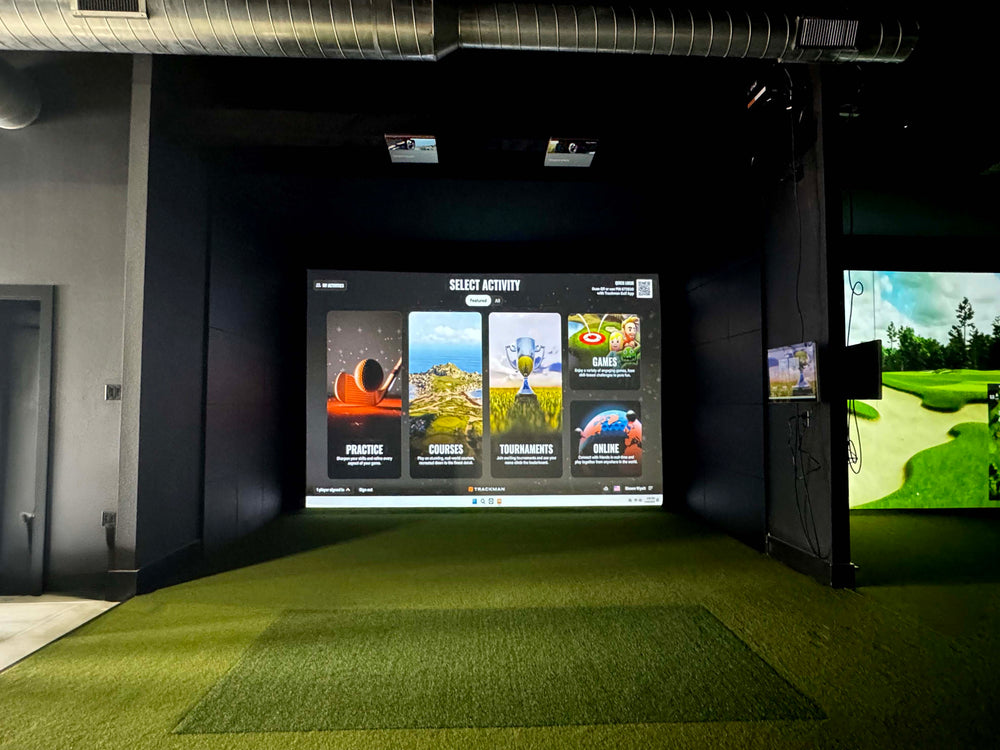
The camera is listed by Trackman as a compatible camera for TPS, and Trackman's camera guide for the Trackman 4 includes it. It is pictured on our page with a Trackman iO simulator. Our listing gives these PC requirements for the setup: Windows 10 or 11, an Intel i7 processor or higher, 32 GB of RAM or more, a 1 TB SSD and an Nvidia RTX 4070 Ti graphics card with 12 GB.
Specifications
- Frame rate: 120 fps (Club Analysis profile)
- Shutter: global shutter
- Lens: standard, for 6 to 10 ft placement (wide-angle kit sold separately)
- Connection: USB 3.1
- Software: Trackman Performance Studio (TPS)
- Part number: USEU1034
See our Trackman golf simulators or more simulator accessories.

What's included
- Trackman USB Swing Camera, 120 fps, standard lens (USEU1034)
- 5 meter (16 ft) USB 3.1 cable (USCA1031)
- 1 meter (3 ft) USB 3.1 cable
- Mounting plate (adapter) with 4 screws (USEU1035)
- Not included: monopod or tripod
Trackman USB Swing Camera specs
Accessory
| Fits / compatible with | Trackman 4, Trackman iO, Software: Trackman Performance Studio (TPS) on a Windows PC |
| Dimensions (W x H x D) | 1.1417 x 1.1417 x 1.1417 in |
Identifiers
| Brand | Trackman |
| MPN | USEU1034 |
| SKU | trackman-swing-camera |
| Usage environment | Indoors |
Reviews
Trackman USB Swing Camera Reviews
Frequently asked questions
Which Trackman units does the USB Swing Camera work with?
What computer do I need?
Can I use more than one camera?
Does it always record at 120 fps?
How long does shipping take?
What is the warranty and return policy?
Trackman USB Swing Camera Delivery & support
What happens after you order: putting it together, the paperwork, and how to reach us.
Vendor Support
Indoor Golf Shop Support Links
User manual
Warranty
Trackman covers its hardware for 12 months from delivery against defects in workmanship. Defects should be reported within 14 days of receipt, and opening the unit or breaking its seal voids the warranty.
Terms published by Trackman.
Helpful links
Protection plans
Covers manufacturer defects and accidental damage for 1 year
Full coverage for 3 years including parts and labor
Additional Protection Offered by The Indoor Golf Shop
Get peace of mind with additional coverage options from The Indoor Golf Shop, these solutions can be added to your product at the time of purchase for the best possible protection against damage or loss.
The links below are to file a claim or manage an existing plan.
Protects your order against loss, theft, or damage in transit. Add it at checkout; if a package is lost, stolen, or arrives damaged, file a claim with Route for a refund or replacement (generally within 30 days).
Extends coverage beyond the manufacturer's warranty and adds accidental-damage protection. Add a plan at checkout; manage your plan or file a claim anytime through your Mulberry account.
Learn More About The Trackman USB Swing Camera

Presets That Match the Shot You Want to Study
TPS gives the USB Swing Camera three settings so you do not have to tune it from scratch. The 120 FPS preset is the default and is optimized for Trackman use. Club Analysis is optimized for reduced shaft blur, and Trackman says it is the profile to use when you always want 120 frames per second; custom profiles can drop the frame rate. Custom settings open exposure, gain, brightness and other controls for rooms with unusual lighting. Trackman's own guidance is that frame rate is not the whole story: exposure time is more critical in reducing blur, so a shorter exposure with enough light on the golfer gives a sharper club than a higher frame rate alone. Because the camera has a global shutter, each frame is captured in one shot, which keeps the shaft straight and the clubhead in one place instead of the bent look a rolling shutter can give.

Planning a Two-Camera Bay
Most coaches and serious players want two views of every swing: face-on for posture and weight shift, and down-the-line for plane and path. The Trackman USB Swing Camera supports that from one computer, with one rule from Trackman: each camera must connect to an independent USB 3.1 hub or port, because neighboring ports can share bandwidth. For three or more cameras, Trackman requires a PCIe card. The kit's 5 meter (16 ft) and 1 meter (3 ft) USB 3.1 cables cover most rooms; for a camera mounted further from the PC, Trackman sells 10 m and 15 m booster extension cables. The included mounting plate fits a monopod or tripod, so the camera can stand behind or beside the hitting area. Keep it clear of the swing path and the projector beam, and set the lens 6 to 10 feet from the golfer for the standard lens.