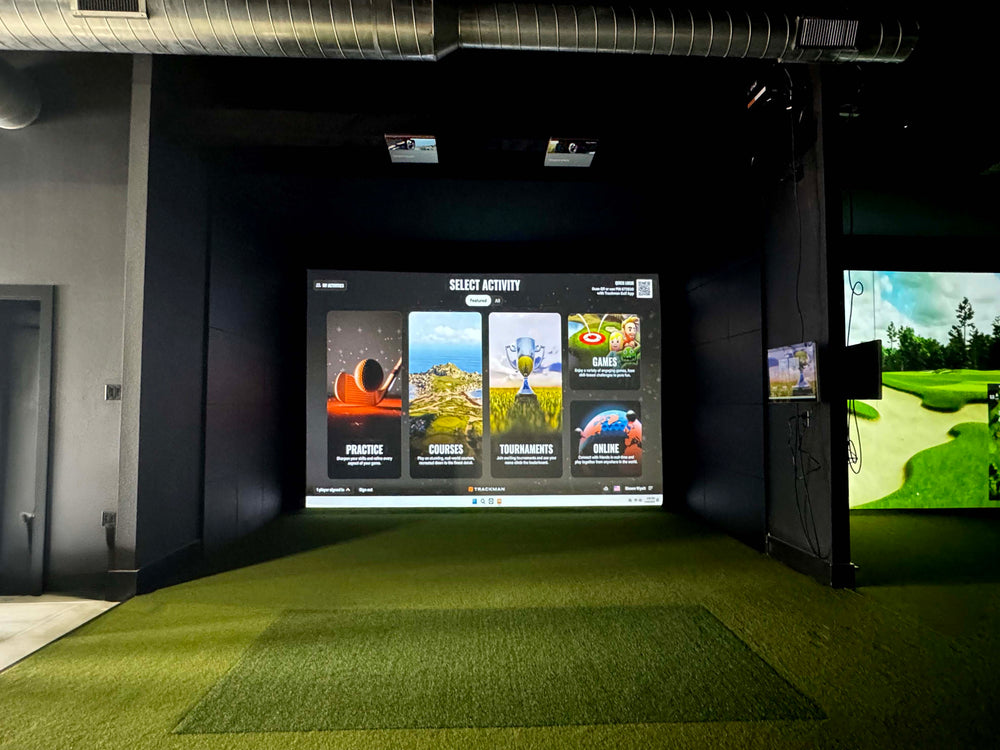
Fixed Alignment Dock for Mevo+
$249.99 USD
$269.99 USD


Fixed Alignment Dock for Mevo+ features
The Fixed Alignment Dock holds the FlightScope Mevo+ at the right tilt and roll every session: preset 12 and 16 degree grooves, six points of fine adjustment, a bullseye level and charging in the dock. Freestanding or floor-fixed. Shop Indoor Golf is the exclusive US supplier.
Made for the Mevo+
Holds the FlightScope Mevo+ in the same position every time.
Six Fine Adjustments
Dial in tilt and roll once, then leave it.
12 and 16 Degree Presets
16 degrees for FS Golf and FS Skills, 12 for E6.
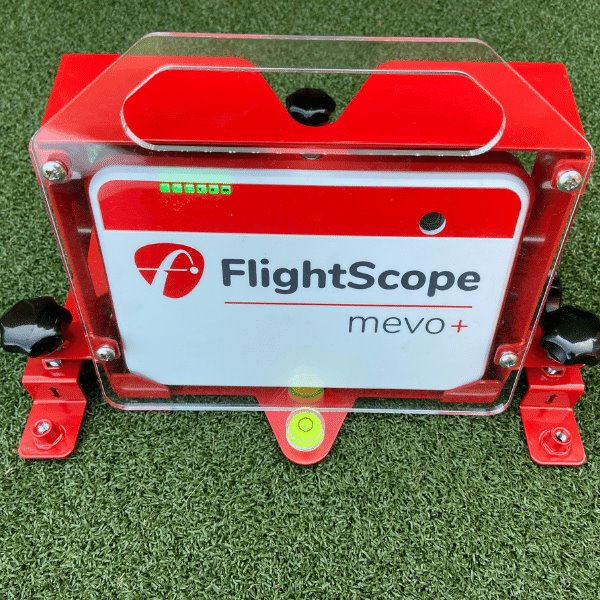
Bullseye Spirit Level
Visual feedback for leveling the dock.
Charge in the Dock
Charge the Mevo+ without removing it.
Floor-Fixable
Freestanding, or fixed down for a permanent bay.
Why Golfers trust The Indoor Golf Shop
Everything You Need To Bring Golf home
From industry-leading golf equipment to custom simulator solutions, we deliver quality, expertise, and support you can count on.
SIGPRO Quality
We build our own — MyGolfSpy's top-rated impact screen and more.
Solutions for Any Golfer
Won't fit your room? We'll build one that does.
Fast Shipping
Most orders ship free to the lower 48. Details
Best Technology Prices
We buy direct — and match any lower price.
Financing
Spread the cost and golf sooner — options at checkout. Details
30-Day Returns
Changed your mind? 30 days to return. Details
Fixed Alignment Dock for Mevo+
A precise setup is critical to getting accurate results from the FlightScope Mevo+ launch monitor. The Fixed Alignment Dock makes that setup quick and repeatable: the Mevo+ sits in the same position every time, at the correct tilt and roll, so you stop re-aligning the launch monitor before every session. The dock also serves as a protective case for the Mevo+. Shop Indoor Golf is the exclusive supplier of the Mevo+ Fixed Alignment Dock in the USA.
Set it once
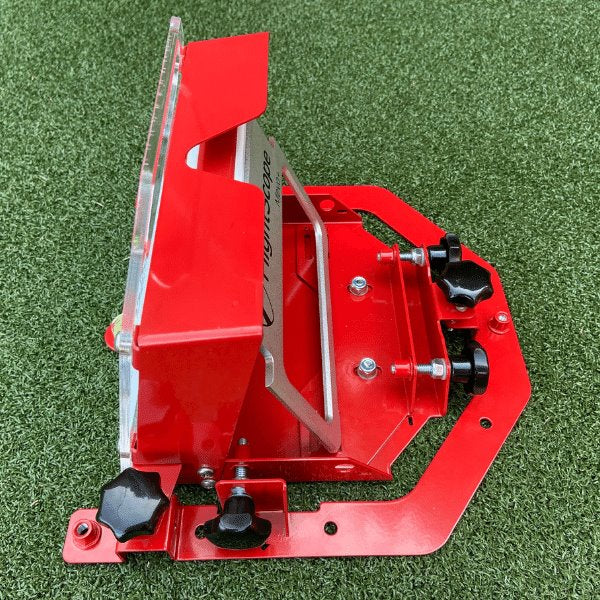
Pre-set positions and six points of fine adjustment let you align the Mevo+ to the target at the correct tilt and roll angles, consistently. Once the dock is set, the launch monitor goes back into the same spot each time, which removes the need to align it again. A bullseye spirit level built into the dock gives visual feedback for leveling.
Two preset tilt angles
The dock has pre-set grooves at 12 and 16 degrees. Use 16 degrees for FS Golf and FS Skills, and 12 degrees for E6, and switch between them by moving the Mevo+ to the other groove. With the dock you no longer need the 12-degree simulator angle guide that comes with the Mevo+.
Adjustment ranges
- Height adjustment: 45 mm when freestanding, 12 mm when fixed to the floor
- Lateral fine adjustment: 12 mm
- Tilt adjustment: 10 to 20 degrees
- Pre-set tilt positions: 12 and 16 degrees
Freestanding or fixed to the floor
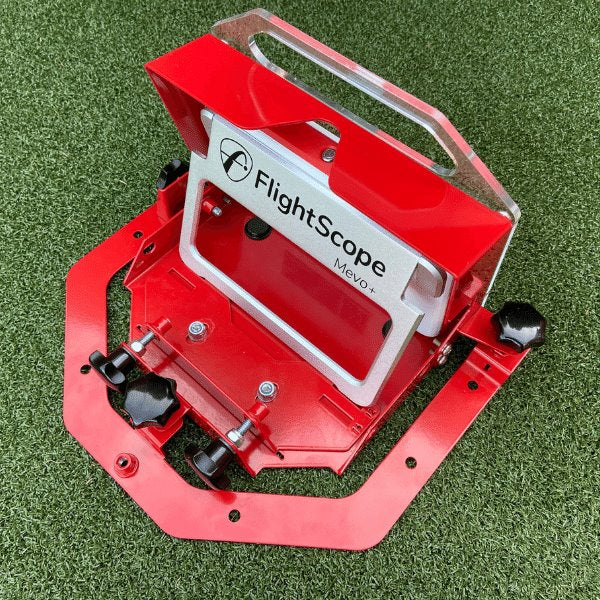
Use the dock freestanding, or fix it to the floor for a permanent installation. Even after it is fixed down, the dock can still be fine-adjusted laterally and vertically, so you can dial in alignment after installation.
Built to stay put
The dock has a durable, weather-resistant epoxy powder coat finish. Its design lets you charge the Mevo+ without removing it from the dock, so the launch monitor never has to leave its aligned position between sessions.
Who it is for
Mevo+ owners with a simulator room or garage bay where the launch monitor lives in one spot, owners who switch between FS Golf and E6 and want the tilt right each time, and anyone tired of re-aligning the Mevo+ before every session.
Where it goes
The Mevo+ sits behind the golfer, about 8 feet behind the ball, looking down the target line. Place the dock there, square it to your target, set the tilt for your software, and lock it in.
See the FlightScope Mevo+ launch monitor, our Mevo+ SIG10 Golf Simulator Package and the FlightScope golf simulator packages, or browse more simulator accessories.
What's included
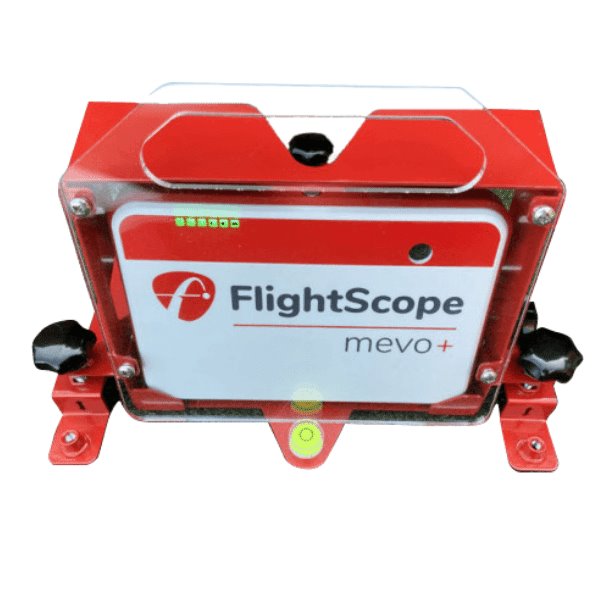
- Fixed Alignment Dock for Mevo+ with built-in bullseye spirit level
- Not included: FlightScope Mevo+ launch monitor
Fixed Alignment Dock for Mevo+ specs
Accessory
| Fits / compatible with | FlightScope Mevo+ (Mevo Plus) |
| Material | Weather-resistant epoxy powder coat finish |
| Dimensions (W x H x D) | 10 x 6.8504 x 6.4961 in |
| Weight | 3 lb |
Identifiers
| Brand | Shop Indoor Golf |
| MPN | Alignment-Dock |
| SKU | Alignment-Dock |
| Usage environment | Indoors or Outdoors |
Reviews
Fixed Alignment Dock for Mevo+ Reviews


- Reviews
- Questions
- Mevo
- quality
- service
- customer service
- adjustments
- alignment dock
- dock
- simulator
- cable
- DRIVING RANGE
 United States
Missing Star
Would love to give 5 stars but I have limited edition not sure if makes difference but I couldn't get bottom security screw to line up. That and a little over priced . But best version on market for this item. Adjustability and slot for charging cable. Well thought out design. Bends easily though, came a little off square
United States United StatesGreat Product �️♂️
The docking station requires minimal adjustments after your initial calibration. Just set on a firm surface and with a few tweaks to the adjustment knobs you’ll be ready for your next session.
United StatesGreat support!
I want to thank the staff for their lightning fast response to an issue with an item that was purchased. They had a new unit on the way and arriving at my door very quickly. Would buy from them again. Cheers

 United States
Great Customer Service!
Responsive and customer focused -- will definitely be a repeat customer!
The Indoor Golf Shop
Hello Matthew, Thank you for your review! We are happy to hear that you had a great experience, and we well taken care of! We hope the Mevo Dock was a great addition to your simulator!
Frequently asked questions
Which launch monitor does the dock fit?
Which tilt angle should I use?
Can I fix the dock to the floor?
Can I charge the Mevo+ in the dock?
How long does shipping take?
What is the warranty and return policy?
Fixed Alignment Dock for Mevo+ Delivery & support
What happens after you order: putting it together, the paperwork, and how to reach us.
Vendor Support
Email: [email protected]
Hours: 8am - 6pm (CT) M-F
support.shopindoorgolf.com
Indoor Golf Shop Support Links
User manual
Warranty
The Indoor Golf Shop SIG (SIGPRO) brand Limited Warranty covers manufacturing defects in materials and workmanship for the period listed for each product type:
- Golf Simulator Preferred Screens — six (6) months
- Golf Simulator Premium & Premier Screens — one (1) year
- Golf Simulator Mats and Hitting Strips — one (1) year
- Golf Simulator Enclosures — one (1) year
- Golf Nets — six (6) months
It applies to products manufactured by The Indoor Golf Shop, bought from us or an authorized dealer, to the original purchaser, and runs from the date of delivery. Exclusions include normal wear and tear, misuse, improper installation, cosmetic damage, shipping damage and weather exposure.
Extended coverage of up to 5 years is available through Mulberry, and must be bought at the same time as the product — it cannot be added later.
Terms published by Shop Indoor Golf (SIG / SIGPRO).
Helpful links
Protection plans
Covers manufacturer defects and accidental damage for 1 year
Full coverage for 3 years including parts and labor
Additional Protection Offered by The Indoor Golf Shop
Get peace of mind with additional coverage options from The Indoor Golf Shop, these solutions can be added to your product at the time of purchase for the best possible protection against damage or loss.
The links below are to file a claim or manage an existing plan.
Protects your order against loss, theft, or damage in transit. Add it at checkout; if a package is lost, stolen, or arrives damaged, file a claim with Route for a refund or replacement (generally within 30 days).
Extends coverage beyond the manufacturer's warranty and adds accidental-damage protection. Add a plan at checkout; manage your plan or file a claim anytime through your Mulberry account.
Learn More About The Fixed Alignment Dock for Mevo+
Alignment You Do Once
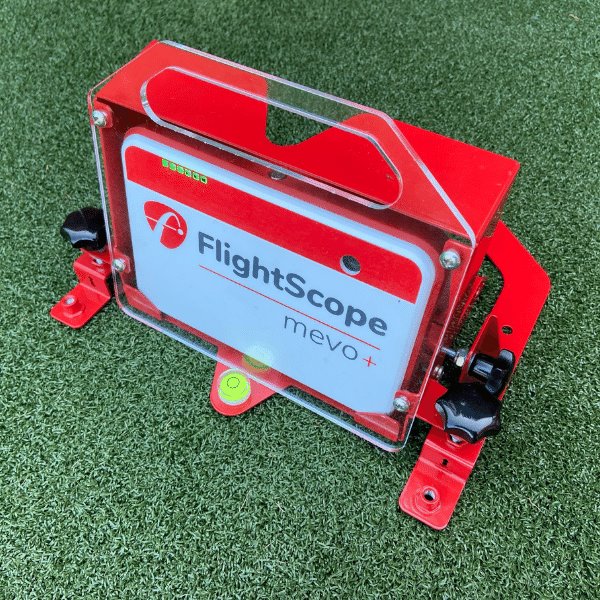
Radar launch monitors like the Mevo+ read the ball relative to where they are pointed, so a launch monitor that is a few degrees off target reports shots that are a few degrees off too. Most owners re-align the Mevo+ every time they set it up. The Fixed Alignment Dock replaces that routine. Its pre-set positions and six points of fine adjustment let you align the Mevo+ to your target at the correct tilt and roll once, and the bullseye spirit level confirms it is level. From then on, the Mevo+ goes back into the dock in exactly the same position for every session. Lateral fine adjustment of 12 mm and height adjustment of 45 mm freestanding (12 mm when fixed to the floor) give you room to dial it in precisely, and the dock can still be fine-adjusted laterally and vertically after it has been fixed down.
12 or 16 Degrees in Seconds
The Mevo+ needs a different tilt depending on the software you run. The dock has two pre-set grooves for it: 16 degrees for FS Golf and FS Skills, and 12 degrees for E6. Moving between programs is as simple as moving the Mevo+ to the other groove, with no measuring. Beyond the presets, tilt adjusts anywhere from 10 to 20 degrees for other setups. Because the dock holds the angle for you, the 12-degree simulator angle guide included with the Mevo+ is no longer needed. The design also lets you charge the Mevo+ while it sits in the dock, so you never disturb your alignment just to plug it in, and the dock doubles as a protective case around the launch monitor.
Freestanding or Permanent
The Fixed Alignment Dock works two ways. Freestanding, it sits behind the ball, about 8 feet back where the Mevo+ reads from, and gives you the full 45 mm of height adjustment. For a dedicated simulator room, it can be fixed to the floor for a permanent installation, which keeps the launch monitor from being bumped out of alignment by feet, clubs or balls. Either way, its weather-resistant epoxy powder coat finish is built for repeated use, and the dock protects the Mevo+ while it is in place. Shop Indoor Golf is the exclusive US supplier of the dock, and our support team can help with setup questions. It is a fit for Mevo+ owners who use the launch monitor in the same spot most of the time.