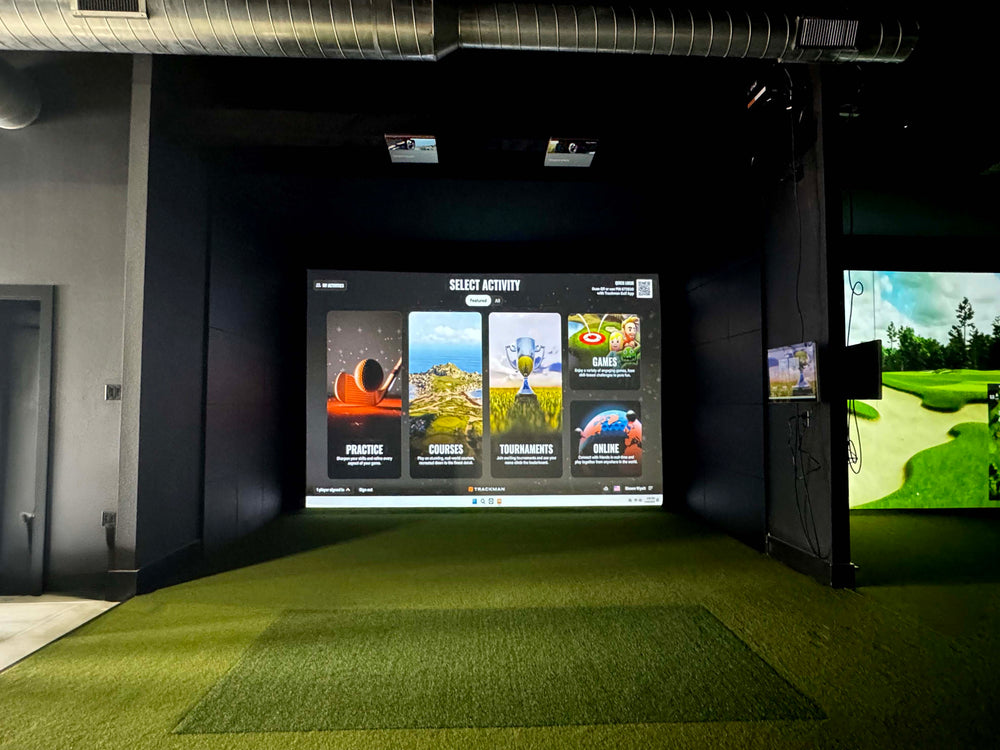
Garmin Approach R50 Launch Monitor & Golf Simulator
$4,999.99 USD


Garmin Approach R50 Review: What to know before you buy R50!
We sent a Garmin Approach R50 for Jon Sherman (practical golf) to review. Jon has been testing golf launch monitors and golf technology for 10 years! You can watch Jon's full breakdown of the R50 on our Garmin R50 Launch Monitor Review video or read below for the quick read version:
Strenghths: 10" touchscreen display for basic course simulation, HDMI port included on the back for easy connection to a projector, Easy to use interface. The R50 is the closest you can get to a plug and play system!
Where the R50 Needs Improvement: The accuracy for the R50 is very close to higher end units (such as trackman and foresight sports), distances were within a few yards and spin rates were very close to tests Jon has run using more expensive launch monitors.
Which type of Golfer is the R50 for? The R50 is for the golfer who wants more features than the budget friendly launch monitors and the simplicity of setup. The on unit software subscription fee is minimal ($99 per year) to play simulated courses directly on the unit. 3rd party softweare (like GSPRO) is available but keep in mind, you will also need a separate gaming PC to run that software. Overall the R50 brings a new approach to indoor golf by being an all in one launch monitor and golf simulator).
- Garmin R50 Review was completed by Jon Sherman - author of the international best-selling Foundations of Golf series. He also is the co-host of the Sweet Spot podcast, a PGA Tour coach, and the owner of Practical Golf.
Garmin Approach R50 Launch Monitor & Golf Simulator features
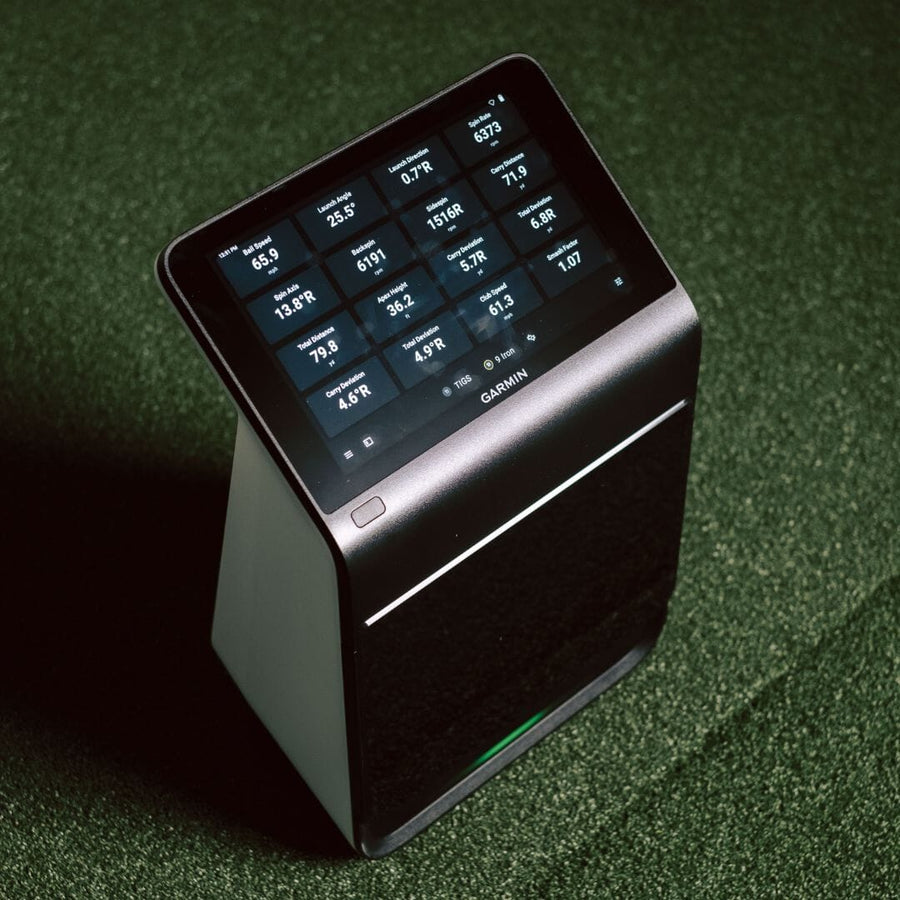
The Garmin Approach R50 is a portable, camera-based golf launch monitor and simulator with a built-in 10-inch color touchscreen. It operates independently, without a PC or iPad, and tracks over 15 ball and club metrics using three high-speed cameras.
Integrated Touchscreen Display
A 10-inch color touchscreen display is built into the unit for direct interaction and viewing.
High-Speed Camera Tracking
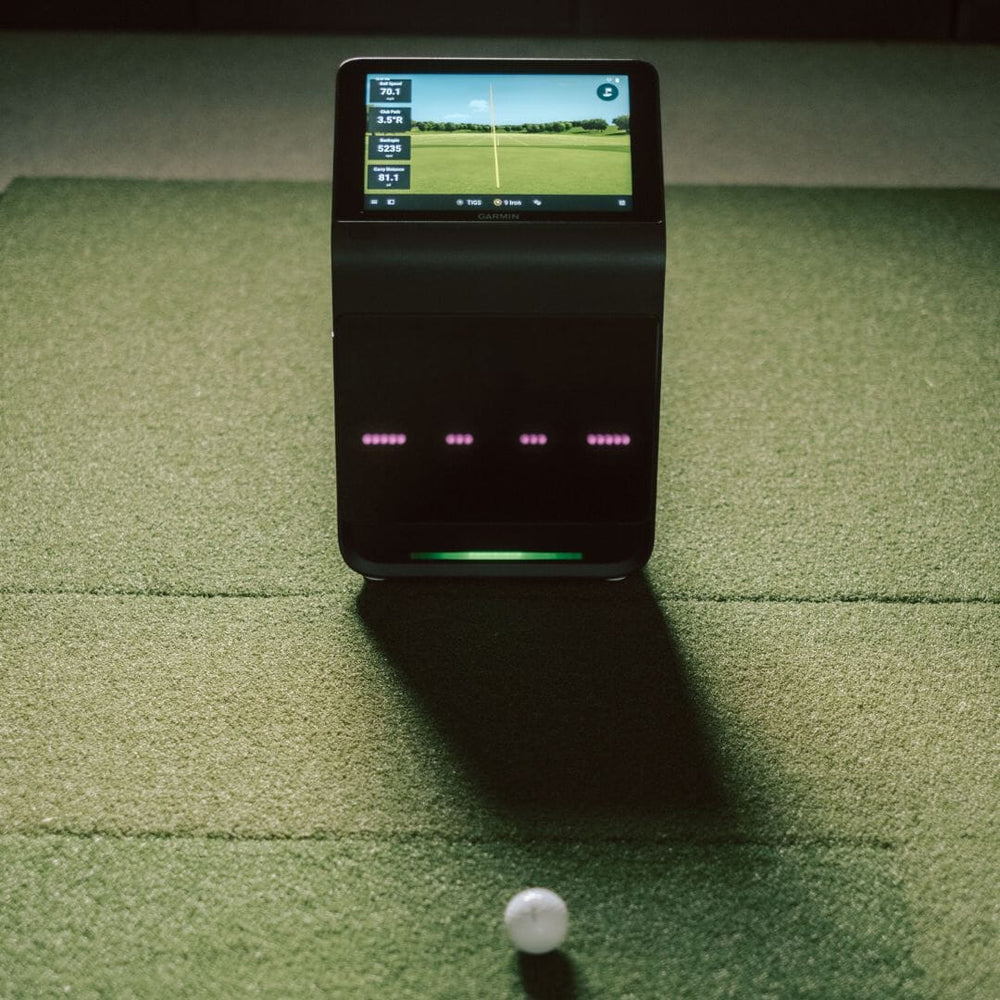
Three high-speed cameras are used to accurately track and record impact footage.
Third-Party Software Support
The device integrates with third-party software like GSPRO, E6, and Awesome Golf.
All-in-One Simulator
The Approach R50 functions as both a launch monitor and a golf simulator in one unit.
Impact Videos
The device provides high-speed impact videos, offering immediate visual feedback on how each shot is struck.
Battery Life
The Approach R50 offers up to 4 hours of battery life, allowing for extended playtime on the range.
Why Golfers trust The Indoor Golf Shop
Everything You Need To Bring Golf home
From industry-leading golf equipment to custom simulator solutions, we deliver quality, expertise, and support you can count on.
SIGPRO Quality
We build our own — MyGolfSpy's top-rated impact screen and more.
Solutions for Any Golfer
Won't fit your room? We'll build one that does.
Fast Shipping
Most orders ship free to the lower 48. Details
Best Technology Prices
We buy direct — and match any lower price.
Financing
Spread the cost and golf sooner — options at checkout. Details
30-Day Returns
Changed your mind? 30 days to return. Details
All-in-One Golf Simulation and Launch Monitor
The Garmin Approach R50 is a sophisticated, self-contained golf launch monitor and simulator designed for both indoor and outdoor use. This portable unit features a vibrant 10-inch color touchscreen display built directly into the device, allowing you to view your stats and navigate software without needing an external PC or iPad. Its integrated three-camera system meticulously tracks both ball and club data, providing immediate visual feedback through impact videos. Golfers can enjoy virtual rounds on over 43,000 courses worldwide, making it a comprehensive solution for year-round game improvement. For those looking to build out their ideal setup, explore our golf simulators collection.
This premium device is engineered for simplicity, offering a true plug-and-play experience. You can connect the R50 to a projector or TV via HDMI to expand your view of the virtual course. It's also equipped with Wi-Fi and Bluetooth connectivity for seamless integration and data transfer. With a battery life of up to 4 hours and a convenient carrying case included, the Approach R50 is ready to travel with you to the driving range or be easily set up in your home. Discover more about creating your perfect practice space with our DIY golf simulator guide.
Precise Data Tracking for Enhanced Performance
The Garmin Approach R50 utilizes advanced photometric tracking technology with its three high-speed cameras to capture crucial details of your swing and ball flight. This system measures over 15 distinct metrics, providing a deep dive into your performance. Key ball data points include the speed of the ball, its initial angle, direction of flight, axis of spin, rate of spin, maximum height, carry distance, total distance, and deviation from target. For club analysis, it tracks club head speed, face angle, angle of attack, and smash factor. This detailed feedback helps golfers understand and refine their game.
Unlike some other systems, the R50 does not require marked balls, simplifying your practice routine. However, to capture comprehensive club data, the use of club stickers is necessary, with 250 included in the box to get you started. The unit also features a built-in barometer, which intelligently adjusts for environmental conditions to ensure more accurate carry distance calculations. For a deeper understanding of how these metrics translate into your game, consider exploring our resources on golf simulator space requirements.
What's included
- Garmin Approach® R50 Golf Launch Monitor and Simulator
- Carrying Case
- AC Adapter and Power Cord
- 250 Club Tracking Stickers
- Documentation
Garmin Approach R50 Launch Monitor & Golf Simulator specs
Launch monitor
| Technology | Photometric |
| Data points measured | 13 |
| Ball data | Ball Speed, Launch Angle, Total Distance, Carry Distance, Height (apex), Spin Rate, Spin Axis, Deviation |
| Club data | Club Speed, Smash Factor, Club Path, Angle of Attack, Face Angle |
| Hitting zone | 3.75" long x 8" wide |
| Where it sits | Next to Golfer — Placed about 1.5 ft to either side of the tee |
| Connects by | Wifi, Bluetooth, USB-C, HDMI |
| Power source | Lithium-ion Battery |
| Battery life | Approx. 4 hours |
| Use | Indoors & Outdoors |
| Impact video replay | Yes |
| Marked balls needed | No |
| Club stickers needed | Yes |
| Works with | GSPRO, E6 Connect, Home Tee Hero |
| Runs on | iOS, Windows |
| Accuracy | Distance within 1–2 yd, angles within 1–2°, spin within about 100 rpm (vs Foresight GC3) |
| Left-handed | Yes with repositioning |
| Putting tracked | Yes |
| Sensors | Built-in high-speed cameras (photometric) |
| Software included | Garmin Golf App (free) |
| Subscription required | No |
| Subscription cost | $9.99/mo or $99/yr (Garmin Golf, unlocks Home Tee Hero) |
| Dimensions (W x H x D) | 10.6 x 16.5 x 7.5 in |
| Weight | 9 lb |
| Portable | Yes |
| Minimum room width | 13' 0" |
| Minimum room depth | 16' 0" |
| Minimum ceiling height | 9' 0" |
| Country of origin | China |
Identifiers
| Brand | Garmin |
| MPN | 010-02542-00 |
| GTIN | 753759340285 |
Compare Launch Monitors
The Garmin Approach R50 is a photometric launch monitor that sits next to the golfer, about 1.5 ft to either side of the tee, and requires club stickers. It records 13 data points, including ball and club data, and offers impact video replay. In comparison, the Foresight Sports GC3 also sits next to the golfer, about 2 ft to either side, and requires club stickers, but records 12 data points and does not have impact video replay. The Uneekor EYE MINI, another photometric unit placed next to the golfer about 15.75 inches to either side, records 11 data points, requires club stickers, and includes impact video replay. The ProTee VX and Uneekor EYE XR are both ceiling-mounted photometric units that do not require marked balls or club stickers, offering more data points (23 and 19 respectively) and impact video replay, but are designed for indoor-only setups.

|
$4,999.99
|
Garmin
|
Photometric
|
Next to Golfer
|
Placed about 1.5 ft to either side of the tee
|
Indoors & Outdoors
|
Recommended room: 9 ft high x 13 ft wide x 16 ft deep
|
Ball Speed, Launch Angle, Total Distance, Carry Distance, Height (apex), Spin Rate, Spin Axis, Deviation
|
Club Speed, Smash Factor, Club Path, Angle of Attack, Face Angle
|
$9.99/mo or $99/yr (Garmin Golf, unlocks Home Tee Hero)
|
GSPRO, E6 Connect, Home Tee Hero
|
iOS, Windows
|
Yes
|
Yes with repositioning
|
Lithium-ion Battery
|
Ships in 1 - 3 Business Days!
|
|---|---|---|---|---|---|---|---|---|---|---|---|---|---|---|---|---|
|
$3,999
|
Foresight Sports
|
Photometric
|
Next to Golfer
|
Placed roughly 2 ft to either side of the tee
|
Indoors & Outdoors
|
Recommended room: 9 ft high x 10 ft wide x 12 ft deep
|
Ball Speed, Launch Angle, Total Distance, Carry Distance, Spin Rate, Spin Axis, Side Spin, Side Angle
|
Club Speed, Smash Factor, Club Path, Angle of Attack
|
Foresight+ Free $0/yr; Silver $199/yr; Gold $599/yr. Course Pass $295/yr; Course Pass Pro $595/yr. Course passes require Silver or higher.
|
GSPRO, E6 Connect
|
iOS, Android, Windows, Rangefinder Connection
|
Yes
|
Yes with repositioning
|
Lithium-ion Battery
|
Ships in 2 - 5 Business Days!
| |

|
$1,999
|
Uneekor
|
Photometric
|
Next to Golfer
|
Placed roughly 15.75 in to either side of the tee
|
Indoors & Outdoors
|
Recommended room: 9 ft high x 14 ft wide x 18 ft deep
|
Ball Speed, Launch Angle, Carry Distance, Side Carry Distance, Back Spin, Side Spin, Side Angle
|
Club Speed, Smash Factor, Club Path, Angle of Attack
|
Player free; Pro $199/yr; Champion $399/yr; Ultimate $599/yr; Pro+ $299/yr; Champion+ $499/yr; Ultimate+ $699/yr
|
GSPRO
|
Windows
|
Yes
|
Yes with repositioning
|
—
|
Ships in 1 to 3 Business Days!
|

|
$6,500
|
Protee United
|
Photometric
|
Ceiling Mounted Above Golfer
|
3'4" to 3'7" in front of the hitting area
|
Indoor Only
|
Recommended room: 9 ft high x 13 ft wide x 16 ft deep
|
Ball Speed, Launch Angle, Launch Direction, Carry Distance, Total Distance, Spin Axis, Back Spin, Side Spin, Height (apex), Descent Angle, Apex Time, Off Line, Air Time, Run, Total Spin
|
Club Speed, Smash Factor, Club Path, Angle of Attack, Face Angle, Face to Path, Dynamic Loft, Spin Loft, Impact Location (face), Lie Angle at Impact, Closure Rate
|
Free (no subscription)
|
GSPRO, E6 Connect, TGC 2019, Creative Golf 3D
|
Windows
|
Yes
|
Yes automatic
|
AC Power
|
Ships in 1 - 3 Business Days!
|

|
$5,499
|
Uneekor
|
Photometric
|
Ceiling Mounted Above Golfer
|
Ceiling-mounted, positioned about 3.5 ft behind the tee
|
Indoor Only
|
Recommended room: 9 ft high x 13 ft wide x 16 ft deep
|
Ball Speed, Side Spin, Side Angle, Spin Axis, Height (apex), Total Distance
|
Club Speed, Smash Factor, Club Path
|
Player free; Pro $199/yr; Pro+ $299/yr; Champion $399/yr; Ultimate $599/yr; Ultimate+ $699/yr
|
GSPRO, E6 Golf, E6 Connect
|
Windows
|
Yes
|
Yes automatic
|
AC Power
|
Ships in 2 - 7 Business Days!
|

No launch monitors match your search.
Reviews
Garmin Approach R50 Launch Monitor & Golf Simulator Reviews
Frequently asked questions
Does garmin r50 require subscription?
How does the Garmin R50 connect to a projector?
Can the Garmin Approach R50 be used indoors and outdoors?
What third-party software is compatible with the Garmin Approach R50?
Does the Garmin Approach R50 require a PC or iOS device to run?
Garmin Approach R50 Launch Monitor & Golf Simulator Delivery & support
What happens after you order: putting it together, the paperwork, and how to reach us.
Vendor Support
Warranty
Garmin covers its products for 1 year from the date of purchase against defects in materials or workmanship, and will repair or replace a failing unit. Batteries, cosmetic damage and damage from accident, misuse or water are not covered.
Terms published by Garmin.
User manual
Helpful links
Indoor Golf Shop Support Links
Protection plans
Covers manufacturer defects and accidental damage for 1 year
Full coverage for 3 years including parts and labor
Additional Protection Offered by The Indoor Golf Shop
Get peace of mind with additional coverage options from The Indoor Golf Shop, these solutions can be added to your product at the time of purchase for the best possible protection against damage or loss.
The links below are to file a claim or manage an existing plan.
Protects your order against loss, theft, or damage in transit. Add it at checkout; if a package is lost, stolen, or arrives damaged, file a claim with Route for a refund or replacement (generally within 30 days).
Extends coverage beyond the manufacturer's warranty and adds accidental-damage protection. Add a plan at checkout; manage your plan or file a claim anytime through your Mulberry account.
Learn More About The Garmin Approach R50 Launch Monitor & Golf Simulator
Immersive Software and Training Features
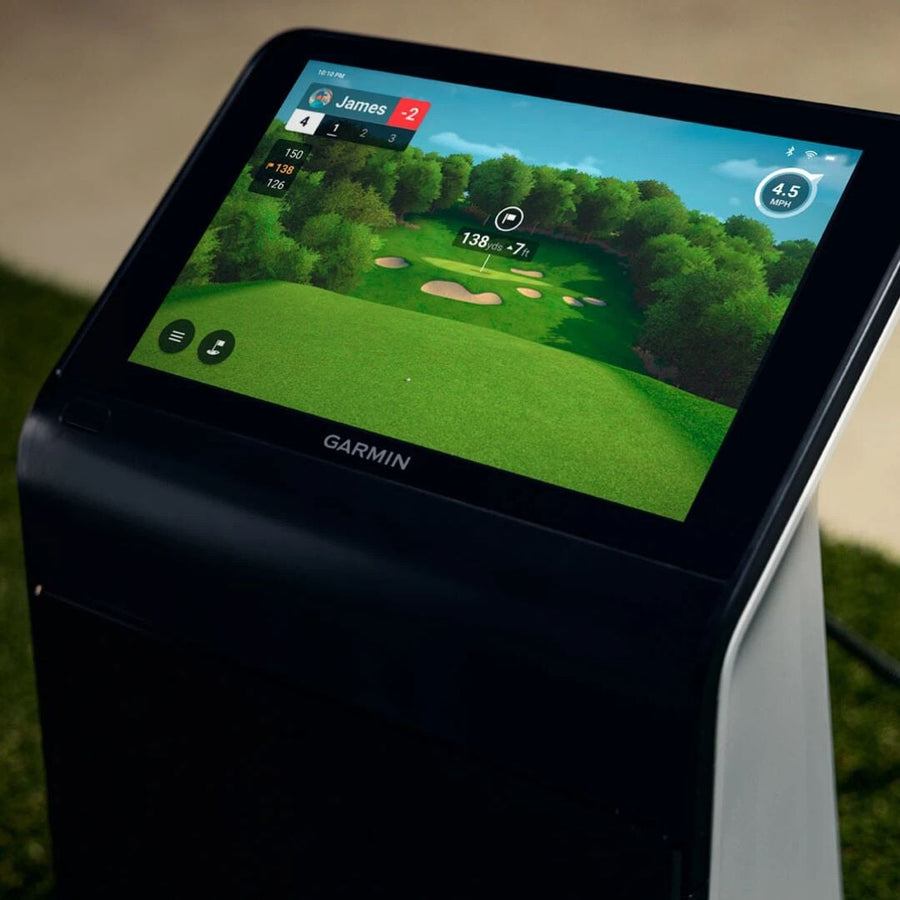
The Garmin Approach R50 offers a rich software experience, starting with the free Garmin Golf app. For an expanded virtual golf experience, a Garmin Golf membership unlocks Home Tee Hero, providing access to over 43,000 virtual courses with enhanced graphics and 3D course maps. This allows you to play virtual rounds directly from the unit's 10-inch display, eliminating the need for a separate gaming PC or iOS device. The R50 also provides robust stat tracking for each club, allowing you to monitor your progress and identify areas for improvement.
Beyond Garmin's ecosystem, the R50 is compatible with popular third-party simulation platforms such as GSPro, E6 Connect, and Awesome Golf. These platforms require their own separate licenses and a PC connection, and do not necessitate a Garmin membership. The device also includes a Training Mode, which offers per-club statistics and a shot dispersion chart based on an advanced ball flight trajectory model, giving you immediate visual feedback on your shot patterns. High-speed impact videos are also captured, allowing for instant review of your swing mechanics. Consider pairing your simulator with quality golf impact screens for the best visual experience.
Who the Garmin Approach R50 is For
The Garmin Approach R50 is ideally suited for golfers seeking a straightforward, all-in-one simulation experience. It's perfect for individuals who desire a portable unit that can transition effortlessly from indoor practice to outdoor range sessions. Its built-in touchscreen and ability to run simulation software directly on the device make it an excellent choice for those who prefer a minimalist setup without the need for additional computers or tablets. This launch monitor is designed for golfers who want to plug in, play, and immediately see their performance data.
This device also caters to players who value detailed club and ball data to refine their game, offering over 15 metrics for comprehensive analysis. Its ease of use, combined with compatibility with popular third-party software, makes it a versatile tool for both casual players and those more serious about game improvement. If you're looking for a convenient way to practice year-round and gain insights into your swing, the R50 delivers. For a complete setup, consider adding high-quality golf mats to protect your floors and enhance your hitting experience.
Connectivity and Portability
The Garmin Approach R50 is engineered for modern connectivity and ultimate portability. Featuring both Wi-Fi and Bluetooth capabilities, the unit seamlessly integrates with your existing devices and networks for data transfer and software updates. It also includes a USB-C port for charging and data, as well as an HDMI output, allowing you to connect to external monitors or projectors for a larger, more immersive view of your virtual rounds. This flexibility ensures you can adapt your setup to any environment, from a dedicated simulator room to a temporary practice space.
Designed with convenience in mind, the R50 boasts a robust battery life of up to 4 hours on a single charge, providing ample time for extended practice sessions or multiple rounds of golf. Its compact dimensions of 16.5 inches by 10.6 inches by 7.5 inches and a weight of just 9 lbs make it exceptionally easy to transport. The included carrying case further enhances its portability, ensuring your launch monitor is protected whether you're taking it to the driving range or storing it away. Explore our selection of golf simulator projectors to complete your visual setup.
Ideal Space Requirements for Your Setup
To fully enjoy the Garmin Approach R50 in an indoor setting, specific room dimensions are recommended for optimal performance and safety. The unit itself is designed for flexible placement, sitting on the floor approximately 1.5 ft to either side of the tee. There is no minimum distance required behind the ball, offering more versatility in smaller spaces. For the best experience, a room with a 9 ft ceiling height is suggested, along with a width of 13 ft and a depth of 16 ft. These dimensions ensure ample space for your swing and for projecting the virtual course.
The compact footprint of the R50, measuring 16.5 inches by 10.6 inches by 7.5 inches and weighing 9 lbs, makes it easy to integrate into various home setups. Whether you're planning a dedicated golf room or a multi-purpose space, understanding these requirements is key. For more detailed planning, our golf simulator room builder can help you visualize and design your ideal indoor golf environment. Additionally, exploring golf simulator enclosures can help define your playing area.

Approach R50 All In One Launch Monitor & Golf Simulator
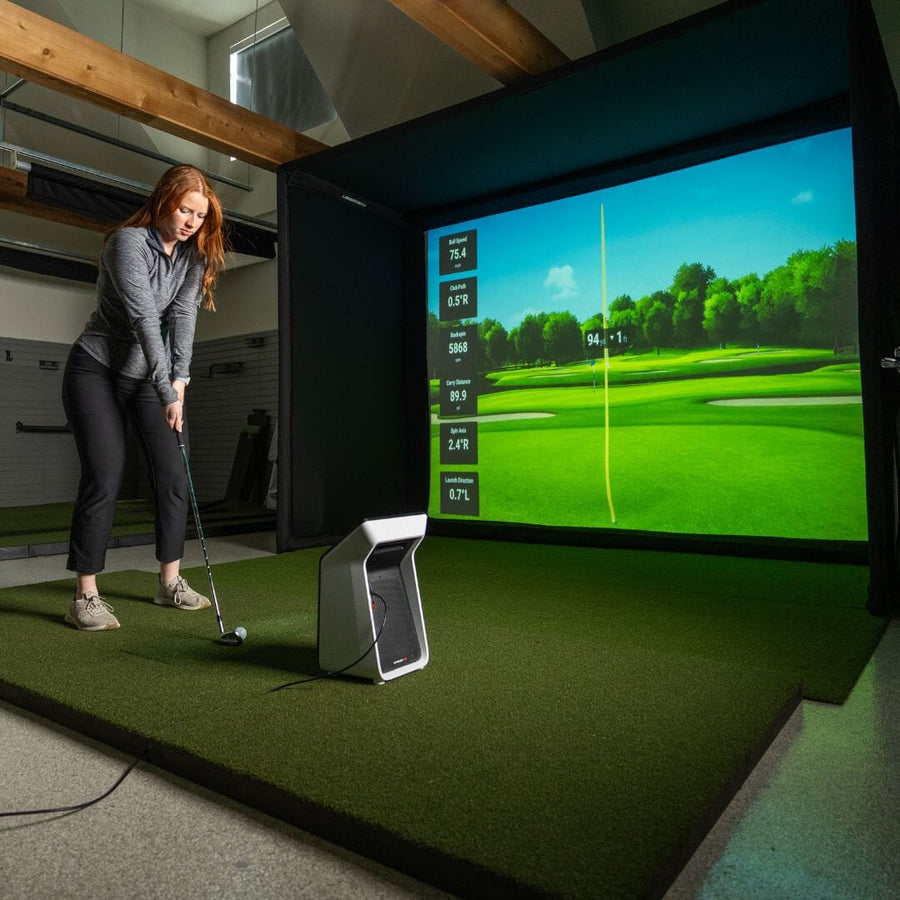
The Approach R50 is a one of a kind launch monitor that has the ability to run golf simulation software directly from the unit, no need for a PC or iOS device. Here are a few features we love about the R50:
- Access to 43k+ Golf Simulator Courses & Virtual Driving Range
- 10" Built in color touchscreen display
- Tracks over 15 Ball and Club metrics
- Portable Launch Monitor
- 3 High Speed Cameras accurately track & record impact footage
- Tracks every club in the bag, from driver to putter.
- Indoor / Outdoor Unit
Tracks Ball and Club Data
The Approach R50 Tracks Ball and Club Data. This launch monitor does not require marked balls but does require club stickers to track club data (250 club stickers included).
- Ball Data: Ball Speed, Launch Angle, Launch Direction, Spin Axis, Spin Rate, Apex Height, Carry Distance, Total Distance, Deviation Distance
- Club Data: Club Head Speed, Club Face Angle, Angle of Attack, Smash Factor
Impact Vision
The 3 high-speed cameras utilized by the Approach R50 record the moment your club comes in contact with the ball. Giving you advanced insight into your club face at impact!
Training Mode
Track stats for each club, and get a shot dispersion chart based on advanced ball flight trajectory model.
Helpful Videos
Demos, reviews and how-tos from our team and the golf community.
Garmin R50 vs. SkyTrak ST MAX: Which Launch Monitor Is Better for You?
What is the difference between the Garmin R50 and SkyTrak ST MAX, and which launch monitor is better for you? The SkyTrak ST MAX is the better choice for golfers who prioritize game improvement, detailed practice tools, and a traditional simulator setup.
How to Set Up GSPRO for your Garmin Approach R50 Launch Monitor | Step-by-Step Guide
How to Set Up GSPRO for your Garmin Approach R50 Launch Monitor | Step-by-Step Guide In this video, we’ll walk you through everything you need to know to integrate GSPRO with your Garmin Approach R50! From the required storage to downloading the software, we’ve got you covered.
Garmin R50 Launch Monitor Review
⛳ The Garmin R50 has made waves in the world of golf technology with its sleek all-in-one design and built-in 10” HD touchscreen. But how does it stack up against other top launch monitors in terms of accuracy, ease of use, and overall value?
Garmin R10 vs R50: Which Launch Monitor Should You Buy?
Garmin R10 vs R50 — which launch monitor is right for you? Quick answer: The Garmin R50 is the better choice if you want a true all-in-one home golf simulator, thanks to its integrated HD screen and three high-speed cameras for accurate ball flight data.
The New Garmin R50 Launch Monitor!
The new Garmin R50 launch monitor comes as something completely new and innovative in the world of golf simulator. Garmin has included the launch monitor and computer software side all into one complete unit.
Garmin Approach R50 For Practice!
Quick Tip for a Better Swing ⛳️ In this short instructional video, PGA Golf Professional Michelle Edgar breaks down club path and how understanding it can lead to more consistent, accurate shots using the Garmin Approach R50.