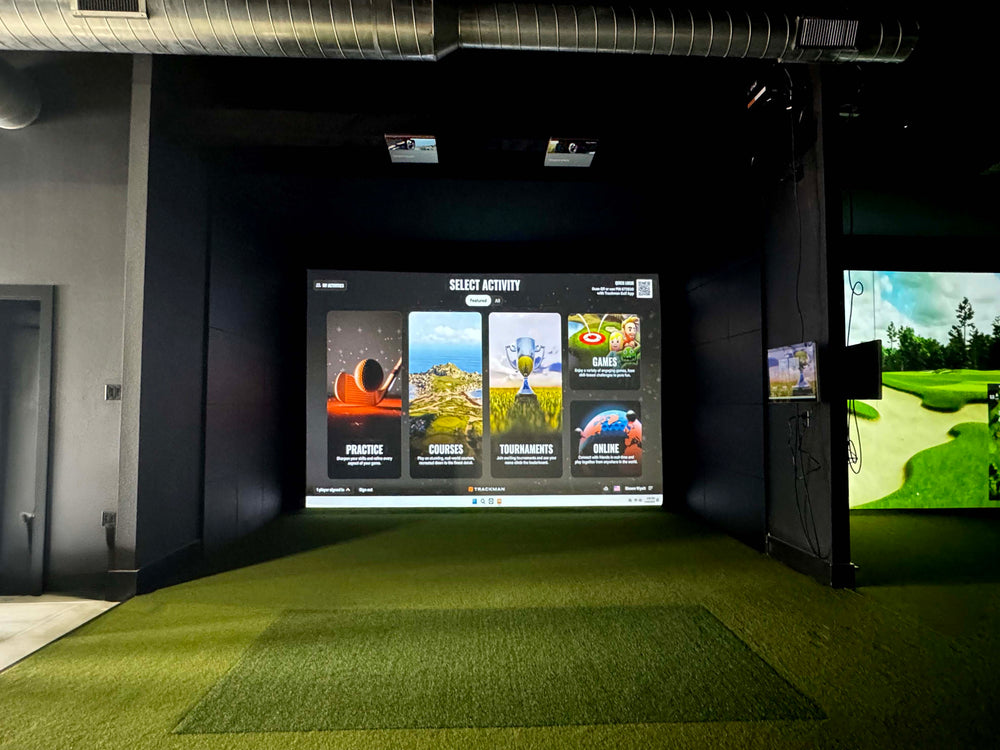
Make sure you can swing your club comfortably in your desired space, as you may need more than 9' high ceilings if your swing requires it. You can always place your setup in a space that is larger than the recommended space requirements.
*If you are looking for a Replacement Screen for your SIG10 please use the Overall Screen dimensions for your standalone screen order*
Assembly
The resources below will walk you through the assembly portion of your new frame and screen. Using the color coded pipe kit and connectors, set up your frame first then attach your black surround, impact screen, foam padding, and side barrier netting.
To download to full SIG10 Assembly Manual, Click Here.
The ProTee VXis an overhead-mounted launch monitor that tracks both ball and club data with instant shot display and impact replays. It’s a versatile, budget-friendly choice for any golf simulatorsetup. The Indoor Golf Shop offers several Golf Simulator package styles to fit your needs, or visit our Golf Simulator Room Builder to design your own package!
SIG Golf Simulator Packages: Skip the hassle with these pre-configured setups featuring premium tech and top-tier SIG accessories.
DIY Golf Simulator Packages: Save money and customize your build with flexible packages designed for hands-on golfers.
Commercial Golf Simulator Packages: Luxury simulators built for durability and high-traffic use, these custom setups feature the best components for professional environments.
Golf Net Starter Packages: New to golf simulators? These starter kits include a net, basic mat, and your choice of launch monitor to get you swinging fast.
Custom Design & Build: The pinnacle of golf luxury. We'll work with you to design and build the simulator of your dreams directly into your home!
What's Included in the ProTee VX SIG10 Golf Simulator Package
ProTee VX Launch Monitor
Ceiling Mount
ProTee Labs Software
Golf Simulator Enclosure
Choice of Golf Hitting Mat
Landing Pad Turf
Your Choice of Projector & Accessories
Here's What You're Getting
ProTee VX Launch Monitor
The VX features dual high speed cameras to track ball and club data while also recording the impact between the club and ball. With the VX there is no need to use marked balls to track ball data, the dual high speed cameras can easily read and track any golf ball being used.
Data Tracking:
Ball Data Measured: Ball Speed, Total Spin, Spin Axis, Back Spin, Side Spin, Launch Direction, Launch Angle.
Club Data Measured: Club Speed, Swing Path, Club Face Angle, Club Face to Path, Attack Angle, Dynamic Loft, Club Lie Angle, Impact Point Vertical & Horizontal.
Flight Data: Flight Path, Apex Height, Apex Time, Total Distance, Carry Distance, Off Line, Air Time, Run, Descent Angle.
Intuitive Software
The ProTee VX comes equipped with a software user interface that displays ball, club, and flight data, along with video replays of club-at-impact and ball spin.
This user-friendly software, known as ProTee Play, is compatible with the ProTee VX for an enhanced golf simulation experience, allowing golfers to review their swing in real-time and make necessary adjustments with almost instant reaction.
The ProTee VX utilizes AI and machine learning to analyze and project your data in less than a second!
Software Upgrade: TGC 2019
Over 150,000 Courses
Practice & Play 24/7
4 Player Multiplayer
Real Life Physics
SIG10 Golf Simulator Enclosure
The SIG10 screen and enclosure pairs beautifully with your launch monitor. Built tough, the SIG10 screen can withstand the hardest of golf shots time after time. In fact, the team at MyGolfSpy voted it the Best Hitting Screen in their Most Wanted series.
Features:
Image Fills Up Entire Screen in HD
Premium, Handcrafted, Made in the USA
Powder Coated Aluminum Frame
Tight Knit Polyester Impact Screen
Protective Foam Padding Around The Screen
Frame Dimensions: 8'4"H x 10'10"W x 5' D
Golf Simulator Projector
We want you to have the flexibility to choose the projector that’s right for you. Our bundles always include an excellent deal on a "bundled" golf simulator projector by default, or you can easily upgrade to a different model—or remove it entirely if you already have your own. We've made it simple to customize your setup by offering the projector as a separate option, so you can swap, upgrade, or skip it altogether. Is space a consideration when choosing your projector? Check out our screen size & projector distance calculator to help model your space.
Projector Accessory Bundle
If you choose one of our projectors, we’ve made it easy to complete your setup with a projector accessory bundle—at no extra cost. Just add your preferred option, and we’ll include a 25' HDMI cable along with your choice of a ceiling mount or floor mount projector enclosure, free of charge.
Landing Pad Turf
Our landing pad is made specifically for the golf simulator and enclosure you choose. It fills in the area between the screen and the hitting mat making it aesthetically pleasing and protects your floor from golf ball strikes.
Choice of Golf Mat
Fairway Series 5' x 5' Golf Mat
Our Fairway Series mat is 5' x 5', roughly one inch thick and can hold a real tee. Ideal for those seeking realistic feel.
SIGPRO Softy 4' x 7' Golf Mat
The SIGPRO 4' x 7' is easy on the joints, and has enough space to set the a floor mounted launch monitor on the mat so it is level with the ball.
SIGPRO Softy 4' x 10' Golf Mat
If you have both right handed and left handed golfers, the 4' x 10' double sided golf mat is ideal with a center hitting strip.
SIG10 Golf Simulator Flooring
The Indoor Golf Shop's simulator flooring is a great option for those seeking the clean, professional look of a custom install - with the convenience of a done for you, easy to assemble kit.
It combines the best of two worlds: an integrated hitting strip embedded into the floor for full swing shots, surrounded by a putting green with four cups for dialing in your short game.
Not only does this look great, but it also conserves space by reducing the footprint of the hitting surface and maximizing the putting and chipping surface.
That's the beauty of SIGPRO's golf simulator flooring.
Minimum Space Requirements: 12' Wide Room, 9' High Ceilings, and a depth of at least 12' Recommended Space Requirements: 15' Wide Room, 10' High Ceilings, 15' Depth
Less than 1 Hour Setup Time depending on the number of people you have assembling. We recommend at least 2 people for setup.
Every SIG Enclosure includes the SIGPRO Premium White Impact Screen. You also have the option to upgrade to our Premier High Contrast Gray Impact Screen!
Ball Speed - How fast your golf ball travels.
Total Spin - Combined total measurement of back spin and side spin of your golf ball.
Spin Axis - The direction of spin the golf ball has on its axis (Positive spin axis refers to the ball spinning to the right, negative spin axis refers to the ball spinning to the left).
Back Spin - The backwards rotation of the golf ball.
Side Spin - The horizontal rotation of the golf ball after impact. This data parameter helps with shot shaping.
Launch Direction - The direction of the golf ball after impact.
Launch Angle - The angle at which the golf ball was struck at impact relative to the ground.
Club Speed - How fast your club is traveling before impact (measured in mph)
Swing Path - The direction of your club head is moving at the moment of impact in relation to your set target line.
Club Face Angle - The direction your club face is pointing at the moment of impact (most commonly angles are open, closed, and square)
Club Face to Path - The relationship between the direction the clubface is pointing at impact and the direction the clubhead is traveling.
Attack angle - The vertical direction the clubhead is moving at the moment of impact.
Dynamic loft - The angle of the clubface relative to the ground at the moment of impact.
club lie angle - The angle between the shaft and the sole of the club
impact point (Vertical & Horizontal) - The location on the clubface where the ball is struck.
Flight path - Simulated trajectory of the golf ball.
Apex Height - The highest point in the simulated trajectory
Apex Time - The time the golf ball is at its highest point
Total Distance - The carry distance plus any extra distance from rolling or bouncing.
Carry Distance - The distance between the impact of the ball to the first landing point.
Off Line - Distance the ball travels in relation to the target line (horizontal distance)
Air Time - The time the golf ball was in the air.
Run - The extra roll of the ball after the first landing.
Decent Angle - The angle at which the golf ball descends from it's apex height.
1. Your ProTee VX includes a ceiling mount and hardware. You can find the mount already attached to your unit when you open the box.
2. Using the release lever you can slide the mount off of the unit.
Important note: The ProTee VX has a max mounting height of 10ft and a minimum mounting height of 9ft.
3. The next step is figuring out where you need to mount your unit! If the ProTee is mounted 10ft high then you will need to mount it 3'7" in front of your hitting area. If you are mounting it at 9ft then you will need to mount it 3'4" in front of your hitting area.
Important note: The ProTee VX has a hitting zone that is 25" x 21" so make sure when mounting your unit, your hitting surface fits within this zone!
4. Once you know your mounting height and mounting distance you are ready to mount your unit! Start by mounting the ceiling plate with the included hardware with the Arrow on the mounting plate facing toward the screen - we recommend mounting the plate to the joist in your ceiling for a stable installation point.
5. Once your mounting plate is installed, you can now slide your ProTee VX into place and lock it using the release / locking knob.
1. Connect the VX: Launch the ProTee Labs program and connect to your ProTee VX device.
2. Start Calibration: Navigate to the settings within ProTee Labs and select "Calibrate System".
3. Position the Calibration Board: Place the calibration board in the center of your hitting area, ensuring it's aligned with the hitting mat and screen, and level it using the included bubble level.
4. Calibrate the World: Click "Calibrate World" within the ProTee Labs software.
5. Define the Hitting Area: Adjust the hitting area boundaries within the software to match your setup.
6. Test Shots: Once calibrated, the ProTee VX will detect a ball in the hitting area and be ready for use.
The ProTee VX offers robust software integration, making it easy to tailor your golf simulator experience to your preferences. Out of the box, the ProTee VX is compatible with leading third-party golf simulation software, including GSPro, E6 Connect, and Creative Golf 3D. This flexibility allows you to play on a wide variety of virtual courses, join online communities, and access advanced game modes—each platform offering unique features and gameplay options.
To connect the ProTee VX to E6 Connect or Creative Golf 3D, a third-party connector may be required and is typically purchased separately. GSPro integration is direct, allowing for a streamlined setup process. Please note that The Golf Club 2019 (TGC 2019), which was previously supported, has been discontinued as of spring 2025.
A key benefit of the ProTee VX is that all core features are unlocked from day one—there are no hidden fees or mandatory subscriptions to access your data or use third-party software. You simply install your preferred simulation platform, connect your ProTee VX, and start playing.
The included ProTee Labs software provides an intuitive interface for immediate shot feedback, detailed video replay, and comprehensive data analysis. With features like club-at-impact video replay and customizable practice panels, you can review every detail of your swing and ball flight, helping you fine-tune your game session by session.
What are the PC System Requirements for the Protee VX?
The recommended system requirements for the ProTee VX are as follows:
I can't recommend The Indoor Golf Shop enough! Their customer service was exceptional throughout my entire indoor golf simulator journey. From the initial research phase, where they patiently answered all my questions and helped me choose the right setup for my needs, to the final purchase and installation, they were incredibly helpful and knowledgeable.
ProTee VX Launch Monitor: A Great Value for Accuracy
I opted for the ProTee VX launch monitor, and I'm so glad I did. It provides high-quality, accurate data about my swing, all at a very reasonable price point. It's been a valuable tool for improving my game, and I can see the difference in my swing metrics since I started using it.
Sig10 Enclosure: Easy Assembly, Great Performance
The Sig10 enclosure was another great choice. It was surprisingly easy to assemble, even for someone like me who's not the handiest. The screen itself is A++. It's quiet when the ball makes contact, and the image quality is excellent. It really completes the whole indoor golf simulator experience.
Overall, a Highly Recommend Experience
If you're looking to set up your own indoor golf simulator, I highly recommend The Indoor Golf Shop. Their customer service is outstanding, their products are high quality and competitively priced, and they'll help you create the perfect setup for your home. You won't be disappointed!
Introduction In the ever-evolving landscape of sports and entertainment, starting a golf simulator business represents a unique and promising venture. With...
Introduction In the ever-evolving landscape of sports and entertainment, starting...


 Free shipping
 Easy no hassle
 Talk To A Golfer
 Easy No Hassle Returns
 Fast & Free Delivery
 Lowest Price Promise


 United States