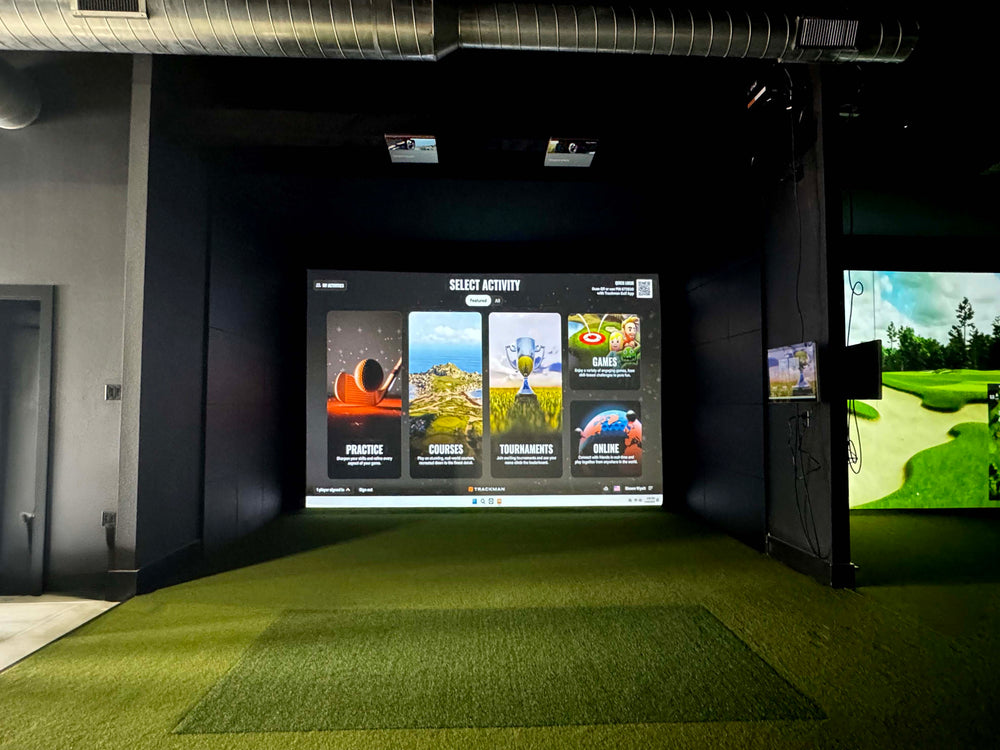
Uneekor Performance Optix Package
$3,000.00 USD


 Free shipping
on all orders!
 Easy no hassle
returns!
Details
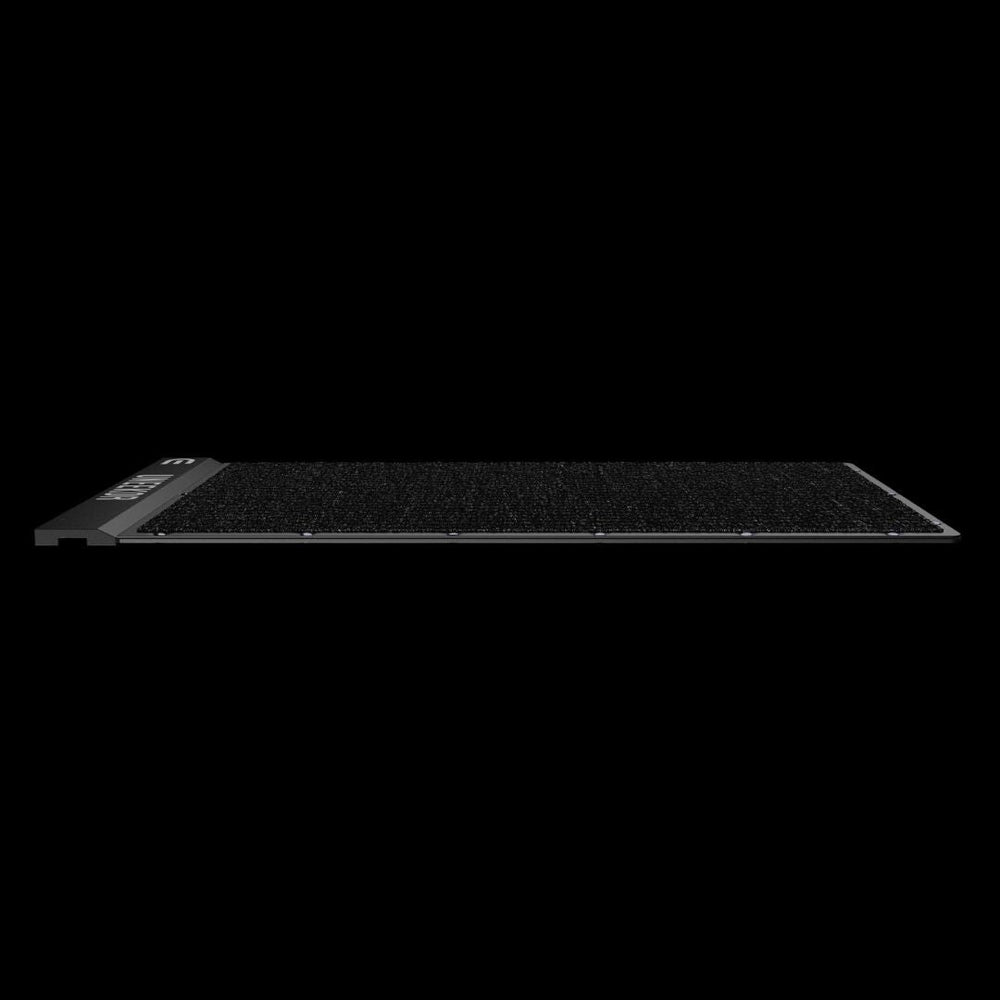
- Introducing the new Balance Optix Mat
- Combines Balance Optix and Swing Optix Technology
- Connects to all Uneekor Launch Monitors with View Software
What's included
- New Balance Optix Mat
- Swing Optix Cameras
Uneekor Performance Optix Package features
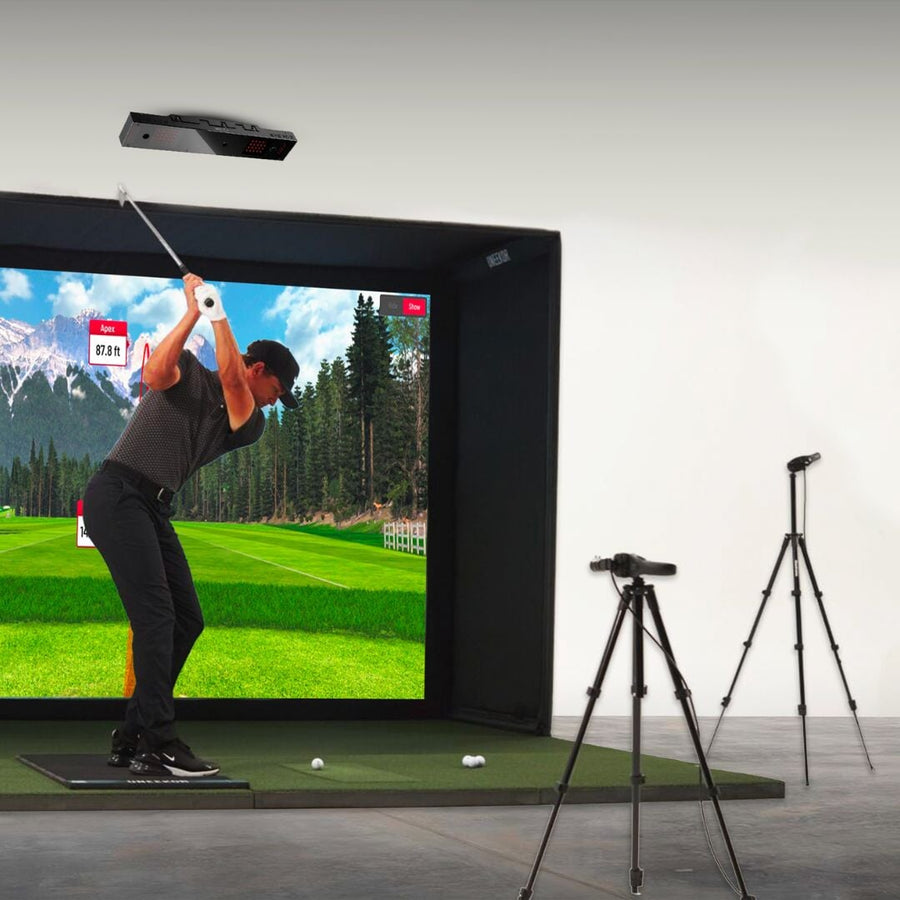
Uneekor's Performance Optix package pairs the Balance Optix pressure mat with two Swing Optix cameras, so VIEW shows weight shift, center of pressure and face-on and down-the-line video beside your Uneekor launch monitor data. Works with Uneekor launch monitors on a Windows PC.
Balance Optix Mat
Real-time balance and center of pressure under your feet.
Two Swing Optix Cameras
Face-on and down-the-line video of every swing.
Foot Heat Map
See weight move left to right and heel to toe.
Synced in VIEW
Video, pressure and ball data for the same shot.
Compare Two Swings
Shot A and Shot B side by side with their data.
Tube and Duffel
Rolling tube and duffel bag for storing the mat.
Why Golfers trust The Indoor Golf Shop
Everything You Need To Bring Golf home
From industry-leading golf equipment to custom simulator solutions, we deliver quality, expertise, and support you can count on.
SIGPRO Quality
We build our own — MyGolfSpy's top-rated impact screen and more.
Solutions for Any Golfer
Won't fit your room? We'll build one that does.
Fast Shipping
Most orders ship free to the lower 48. Details
Best Technology Prices
We buy direct — and match any lower price.
Financing
Spread the cost and golf sooner — options at checkout. Details
30-Day Returns
Changed your mind? 30 days to return. Details
Uneekor Performance Optix Package: Swing Video and Balance Data Together
The Uneekor Performance Optix package bundles two Uneekor technologies: the Swing Optix high-resolution cameras and the Balance Optix pressure mat. Uneekor calls it its first biomechanical golf training system. Paired with your Uneekor launch monitor's ball and club data in the VIEW software, it shows what your body did, what the club did and where the ball went, for the same swing.
Balance Optix: where your weight goes
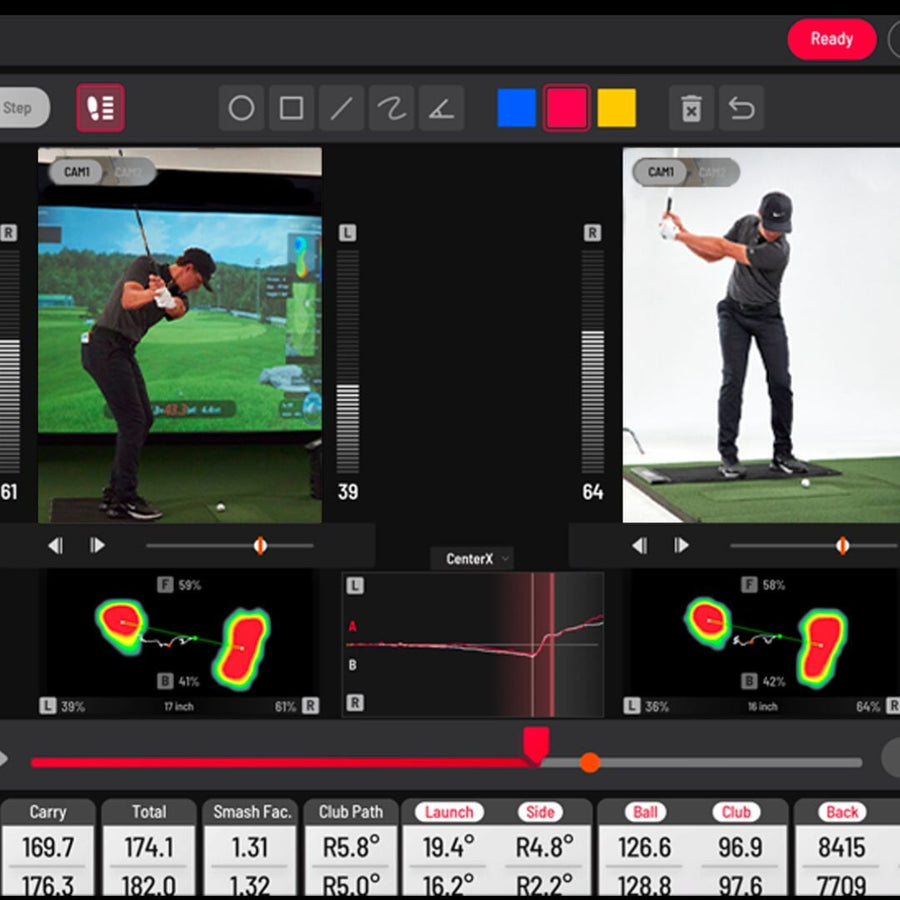
Balance Optix measures your balance and center of pressure in real time. In VIEW you see a foot heat map that grows and changes color as your weight moves left to right and heel to toe, left/right weight distribution bars from address to finish, a weight distribution diagram of horizontal and vertical shift, and a center of pressure tracer that follows your pressure through the swing. Swing Optix marks the moment of impact automatically, so the pressure data lines up with the video frame by frame.
Swing Optix: face-on and down-the-line video
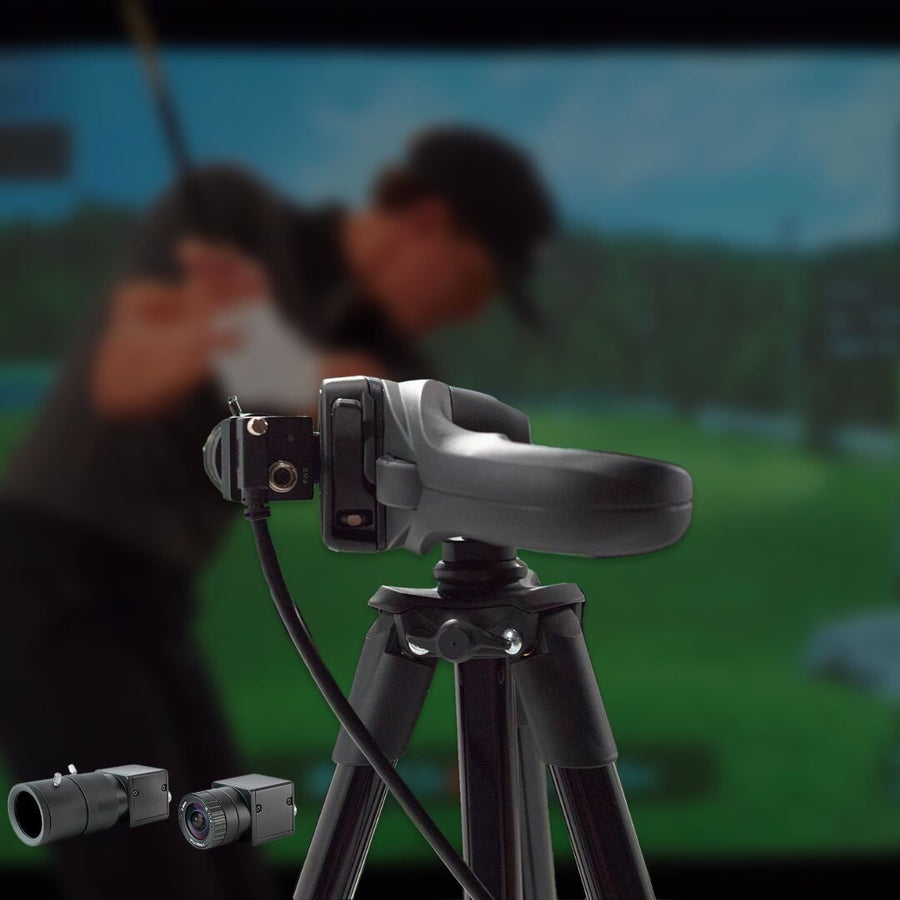
Two cameras record the swing from face-on (Cam 1) and down the line (Cam 2). In VIEW's compare screen you can pick two shots and review them side by side with their data fields, toggling between the two camera views. Uneekor's install guide shows the cameras about 6 feet and 5 feet from the golfer on tripods, each connected by USB 3.0 directly to a USB 3.0 port on the PC.
Light the room for the cameras
Uneekor says Swing Optix needs more than normal room lighting: it recommends at least eight non-flickering LED bulbs of 15 W or higher on a track rail, angled away from the projector's light path, to keep the club sharp. Uneekor's manual lists LED bulbs and projectors it has tested with Swing Optix.
Compatibility
Uneekor states that Balance Optix works with all Uneekor launch monitors, including the EYE XO2, EYE XO, EYE XR, EYE MINI and EYE MINI LITE, and that Swing Optix cameras are required to use it. The EYE MINI works with Balance Optix only through the PC software: Balance Optix runs in VIEW for PC, not VIEW Air for iPad. Uneekor's own pages say the mat is compatible with Uneekor launch monitors only.
Recommended PC
- CPU: Intel i7 or higher, 10th generation or later
- RAM: 16 GB or more
- GPU: NVIDIA RTX 30 series or later, 16 GB or more
- Storage: 200 GB or more free
- OS: Windows 11 (64-bit)
Minimum: Intel i5 8400, 16 GB RAM, GeForce GTX 1060, Windows 10 (64-bit) version 1803 or higher. See all Uneekor golf simulators.
What's included
- Uneekor Balance Optix mat
- USB cable and Ethernet cable for the mat
- USB-to-Ethernet adapter cable
- Charging block
- Rolling tube and duffel bag for storage or travel
- Two Uneekor Swing Optix cameras
- Two camera lenses
- Three USB 3.0 cables
- Two camera mounting accessory sets (bracket and screws)
Uneekor Performance Optix Package specs
Accessory
| Fits / compatible with | Uneekor EYE XO2, Uneekor EYE XO, Uneekor EYE XR, Uneekor EYE MINI (VIEW for PC only), Uneekor EYE MINI LITE, Software: Uneekor VIEW for PC (not VIEW Air) |
| Material | Carpet top and rubber base |
| Dimensions (W x H x D) | 44.5 x 24 in |
| Weight | 12 lb |
Identifiers
| Brand | Uneekor |
| SKU | uneekor-performance-optix |
| Usage environment | Indoors |
Reviews
Uneekor Performance Optix Package Reviews
- Reviews
- Questions
- cameras
- package
- item

 United States
Underlie Performance Optix
Incredible cameras and a sweet package. Item shipped promptly.
Frequently asked questions
Which launch monitors does Performance Optix work with?
Can I use it on an iPad?
How do I set it up?
Do I need extra lighting?
How long does shipping take?
What is the warranty and return policy?
Uneekor Performance Optix Package Delivery & support
What happens after you order: putting it together, the paperwork, and how to reach us.
Vendor Support
Indoor Golf Shop Support Links
User manual
Warranty
Uneekor covers the EYE XO2, EYE XR and EYE XO for 2 years, and the EYE MINI and EYE MINI Lite for 1 year, when bought from Uneekor or an authorized reseller. Warranty service is usually a replacement unit.
Terms published by Uneekor.
Helpful links
Protection plans
Covers manufacturer defects and accidental damage for 1 year
Full coverage for 3 years including parts and labor
Additional Protection Offered by The Indoor Golf Shop
Get peace of mind with additional coverage options from The Indoor Golf Shop, these solutions can be added to your product at the time of purchase for the best possible protection against damage or loss.
The links below are to file a claim or manage an existing plan.
Protects your order against loss, theft, or damage in transit. Add it at checkout; if a package is lost, stolen, or arrives damaged, file a claim with Route for a refund or replacement (generally within 30 days).
Extends coverage beyond the manufacturer's warranty and adds accidental-damage protection. Add a plan at checkout; manage your plan or file a claim anytime through your Mulberry account.
Learn More About The Uneekor Performance Optix Package
Reading Your Weight Shift
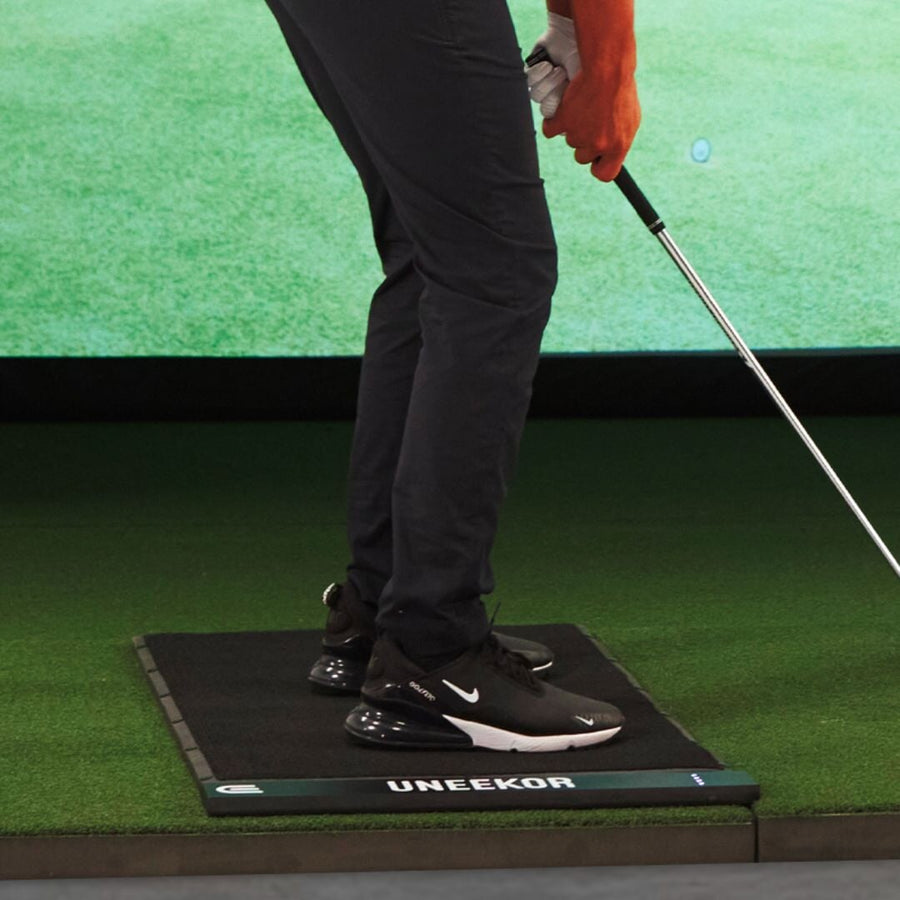
Balance Optix turns pressure under your feet into pictures you can read between shots. The foot heat map shows each foot growing and changing color as weight moves from left to right or heel to toe, and you can dim, resize or rotate it on screen. The weight distribution bars show the left/right split from address to finish, and the pop-out screen adds a weight distribution diagram of horizontal and vertical movement plus a center of pressure tracer. Uneekor's manual describes a common pattern among elite players: roughly 50/50 at address, weight moving to the rear foot at the top of the backswing, then toward the lead foot through impact and finish, with the center of pressure staying on a fairly straight horizontal line. Comparing your own trace with that pattern, shot by shot, shows whether a miss came from a balance problem or from the club.
Setting Up Mat and Cameras
The mat connects with two cables: an Ethernet cable to the PC (a USB-to-Ethernet adapter is included) and a USB cable for power, either to the PC or to the included charging block. Once powered, the lights on the mat illuminate. You then sign in at my.uneekor.com, install Uneekor Launcher, connect the Swing Optix cameras, place the mat on your hitting turf or another flat surface, and register the mat under Devices in Launcher, which detects it automatically. Each Swing Optix camera attaches to its tripod with the included bracket and four screws, is rotated 90 degrees, and connects by USB 3.0 directly to a USB 3.0 port on the PC. Uneekor notes the cameras run at 43 to 46 degrees Celsius, which is normal. A rolling tube and a duffel bag come with the mat for storage or travel.
Training With Video, Pressure and Ball Data
The value of Performance Optix is that three data streams describe the same swing. Your Uneekor launch monitor reports ball and club data, Swing Optix records the face-on and down-the-line video, and Balance Optix adds the pressure trace, with the impact frame marked automatically. In VIEW's compare screen you select two shots from the Shot column as Shot A and Shot B, see their data fields next to each other, switch between Cam 1 and Cam 2, and compare the center of pressure of both swings in a graph. That makes it practical to test one change at a time: hit a group of shots, pick a good one and a poor one, and look for the difference in posture, sequence or weight shift. Remember that Balance Optix needs the Swing Optix cameras and Uneekor's VIEW software on a PC.