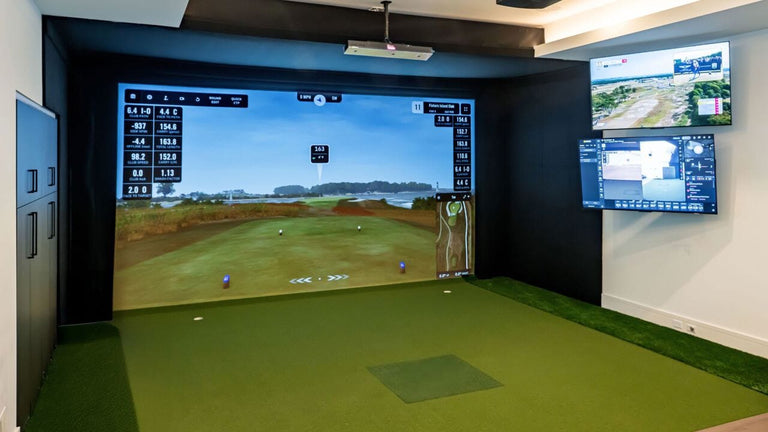


Find Your Perfect Golf Simulator


Golf Simulator Deals and Promotions
Shop golf simulator deals & discounts today! The Indoor Golf Shop has an ever changing list of unbeatable deals on our premier collection of golf simulators. Many of our deals and discounts also apply to essential components like screens and enclosures, making it easier to build a complete and professional golf simulator setup. Whether you’re looking to enhance your game from the comfort of your home or find the perfect set up for commercial applications, we work hard to ensure our golf simulator deals, discounts, and promotions offer the best golf simulator prices you’ll find. Take advantage of our exclusive golf simulator coupons today, or feel free to contact us by phone, chat, or email if you need support from our team of golf simulator experts to find a cheap golf simulator solution that doesn’t sacrifice on quality.


Expert Tips and Planning Tools


Top Golf Simulator Picks of 2026
With so many incredible options on the market, choosing just one can be tough. So, our team of indoor golf experts did the hard work for you. We’ve spent countless hours testing, comparing, and analyzing everything from launch monitor accuracy—including how golf launch monitors measure ball spin, swing parameters, and ball flight—to software features to find the packages that deliver the best experience at every level. These are our official top picks for 2026.

Best All Around Golf Simulator: Trackman iO
Meet the Trackman iO, the future of indoor golf. This discreet, ceiling-mounted system fuses high-speed optics and radar for unrivaled shot accuracy. It delivers instant, data-rich feedback on every swing without needing marked balls or clubs. Purpose-built for performance, when paired with our SIGPRO Studio package the iO is the gold standard for 2026 in both home and business uses.
Shop Trackman Golf Simulators
Best for Small Spaces: SkyTrak+ SIG8
The SIG8 is our most space-efficient enclosure outside of retractable options. The SkyTrak+ launch monitor is placed forward of the golfer allowing for less depth to make the simulator work.
SkyTrak Golf Simulators
Best Value Package: Square Golf
Step into the world of home golf simulation without breaking the bank. Our Square Golf packages are designed as the perfect, all-in-one entry point for any golfer. Starting under $2000, each package includes all the high-quality essentials you need to practice, play, and improve your game on your own schedule, year-round. It’s the most affordable and straightforward way to bring the course to your home.
Square Golf Simulator Packages
Best For Beginners: Garmin R50 Golf Net Practice Packages
We think the Garmin R50 is an excellent option for beginning golf simulator users. The unique "plug and play" design, inclusive of a built in screen can save many of the setup headaches new users may face. Pair it with a golf net and screen and you're well on your way to a full simulator experience.
Shop For Garmin
Best Golf Simulator for Business: Trackman iO Commercial Golf Simulator Package
With Trackman's Commercial edition software, SIGPRO Commercial Enclosure, and other accoutrements this golf simulator is taylor-made to impress your clients and stand up to the rigors of daily use.
Shop Commercial Golf Simulators
Best Simulator for the DIY Guy: Flightscope Mevo Gen2 DIY Package
With a starting price under $2,500 for a new model launch monitor, screen, and enclosure surround, our DIY bundles are an excellent way to save by only buying what you can't make yourself
Shop DIY Packages


Why Choose The Indoor Golf Shop?


The Indoor Golf Shop Advantage
Adding a golf simulator to your home or business is an investment in your passion for the game. At The Indoor Golf Shop, our entire business is built around ensuring that investment is a brilliant one. Founded by golfers who were frustrated with the complicated buying process, we’ve created an experience defined by expert guidance and exceptional, high-quality products. We don’t just sell simulator packages; we are your dedicated partner in building the perfect indoor golf setup. Here are a few of the advantages you'll find when working with our team:

Your Guide to Indoor Golf: Resources & Buying Guides
A golf simulator is a significant investment in your game, and we want you to feel completely confident in your choice. For those who want to dive deeper into the specific details, our team has created a complete library of expert resources. These highly recommended guides provide detailed breakdowns on everything from budgeting for your dream set up, understanding the specifications needed to run golf simulation software, to comparing the latest launch monitor technology head-to-head. Explore our guides below to become an indoor golf expert.


Frequently Asked Questions
Get clear, expert answers to your biggest golf simulator questions. We've organized our most frequently asked questions into categories to help you easily find the information you need on space, budget, technology, and more, so you can build your dream setup with total confidence.
How much space do I really need for a golf simulator?
To set up a golf simulator, you need a minimum room size of about 10 feet (3m) in height, 12 feet (3.6m) in width, and 16-18 feet (5-5.5m) in depth. However, for optimal performance, a larger space is often recommended, ideally around 10ft H x 15ft W x 20ft D. The minimum requirements can differ based on the golfer's height, swing style, and the specific launch monitor being used, so it's always a good idea to test your swing in the space before making any equipment commitments.
Key Dimensions & Considerations
Ceiling Height (Height):
- Ideal: 9-10 feet (approximately 3m) or more, allowing most golfers to swing freely without the risk of hitting the ceiling.
- Minimum: 8 feet (2.4m) can work for shorter golfers or those who primarily use irons and wedges, but it may feel a bit cramped.
Width:
- Ideal: 15 feet (4.5m) provides comfortable, unrestricted swings and allows for hitting from the center of the room.
- Minimum: 10-12 feet (3-3.6m) might necessitate an offset hitting area to avoid hitting the walls with longer clubs.
Depth (Length):
- Ideal: 18-20 feet (approximately 5.5-6m) or more is recommended for sufficient room for the swing, realistic ball flight, and to accommodate various types of launch monitors.
- Minimum: About 16 feet (5m) is needed for a basic setup, while a length of 12 feet may suffice for a very basic arrangement.
More Helpful Links:
Can I install a golf simulator in my garage or basement?
Yes! Garages and basements are two of the most popular and ideal places to install a home golf simulator. The most important factor is ensuring you have enough space to swing a golf club freely and safely.
We also offer the G-TRAK retractable impact screen within our Garage Golf Simulators that are specifically designed with your garage in mind!
Helpful Links:
Do I need to do anything to protect my walls and ceiling?
Yes! Protecting your walls and ceiling is essential. Errant shots can happen to anyone and can cause significant damage.
Your main lines of defense are:
A Golf Simulator Enclosure: This is your primary safety feature, designed to stop the vast majority of shots.
Wall & Ceiling Padding: For complete peace of mind, adding foam panels to the walls and ceiling around the hitting area protects against stray shanks and high-lofted shots.
Golf Simulator Curtains: For complete peace of mind, adding foam panels to the walls and ceiling around the hitting area protects against stray shanks and high-lofted shots.
What's the difference between a $5000 simulator and a $20,000 golf simulator?
The primary difference between a $5,000 and a $20,000 golf simulator is the level of precision in the launch monitor and the quality and immersion of the physical components.
Think of it like the difference between a well-made sports sedan and a high-performance supercar. Both are fantastic, but they are built for different levels of performance and detail.
What Your Money Gets You
Here’s a breakdown of the key upgrades as you increase your budget:
- Launch Monitor (The Brains): This is the biggest price driver. A $5,000 package typically includes a highly accurate camera or radar-based launch monitor that provides all the essential ball data you need to improve your game (like ball speed, launch angle, and spin) at an affordable price. A $20,000 package features an elite, professional-grade launch monitor (like a Trackman or Foresight Sports model). These often use multiple technologies (camera and radar) to provide more data points and surgical precision, especially on club data like club path and face angle.
- Enclosure and Impact Screen: The good news here, is that when you buy ANY golf simulator from the Indoor Golf Shop, you are already getting the highest quality materials in your enclosure and screen that money can buy. In our case, a $5,000 package will have a high-quality, durable enclosure and screen that provides a safe and enjoyable experience. A $20,000 package is more likely to be one of our large (commercial size) enclosures and perhaps with an upgrade to our SIGPRO Premier impact screen. A great screen results in a quieter impact sound, a brighter and crisper projected image, and maximum durability for heavy use.
- Hitting Mat: Again, when purchasing with us, our SIGPRO line of golf mats are the best in the business. A $5,000 package can often come with a renowned SIGPRO SOFTY golf mat, that simulates a real fairway feel. A $20,000 package may typically include our full flooring buildouts, or one of our commercial grade (and large) SUPER SOFTY or Commercial Teeline golf mats. Our mats are engineered to be easier on your joints over thousands of swings.
- Projector and Computer: Higher-end packages will include a 4K or laser-based projector for a stunningly realistic image and may come with a dedicated high-end gaming PC to run simulation software at max settings.
Are there any ongoing subscription fees for the software after I buy a golf simulator package?
There can be! It depends on the specific launch monitor and software you choose. Most simulator packages come with a basic version of the software for free, but unlocking the full experience often requires a subscription.
Here’s a general breakdown of how it typically works:
- Included Basic Software: Most launch monitors come with a free app or basic plan that includes a driving range and a limited number of virtual courses. This allows you to start practicing and playing right out of the box.
- Optional Paid Subscriptions: To access a wider library of famous courses, online multiplayer, and advanced game-improvement features, most brands offer optional paid subscription plans.
- Third-Party Software: Many golfers choose to use powerful third-party software like GSPro or The Golf Club 2019 (TGC 2019). These programs are compatible with many launch monitors and require their own separate subscription or purchase, but they offer vast course selections and active online communities.
The best way to know for sure is to check the specific product page for the simulator package you're interested in. The "What's Included" or "Software Details" section will list exactly what is included for free and what subscriptions are available.
HELPFUL LINKS:
Do you offer financing options for golf simulator packages?
Yes!
The Indoor Golf Shop offers financing options to help you break the price of a golf simulator into monthly payments. We provide easy and affordable financing through Bread Pay™, with rates starting at 0% APR for up to 12 months*.
Payment plans can range from 12 to 24 months, with no prepayment penalties, and the application process is straightforward and can be completed directly on their website.
To apply for financing, simply select the Bread Pay™ option during checkout on The Indoor Golf Shop's website. You'll be guided through the application process, and upon approval, you can choose a payment plan that best fits your budget.
For more detailed information on financing options, eligibility, and the application process, you can visit these pages!
Information on consumer golf simulator financing: https://shopindoorgolf.com/pages/financing
Besides the package, are there any other costs I should plan for?
Beyond the initial package (which typically includes the launch monitor, enclosure/screen, and mat), here are the other main costs you should plan for:
Essential Tech Components
Projector: While some premium packages include a projector, it is often a separate purchase. You'll need one to display the simulation image onto your impact screen. A "short-throw" projector is usually recommended to reduce shadows.
Computer or Tablet: The simulation software needs a device to run on. Depending on the launch monitor and software you choose, this will typically be a gaming PC with a powerful graphics card or a compatible iPad/tablet.
Software & Subscriptions
Many launch monitors and third-party software programs require ongoing subscriptions to access their full library of courses, online play, and advanced features.
Room Finishes & Installation
Room Preparation: Some users choose to invest in finishing their room with flooring (like putting turf for the whole area), dedicated lighting, or new electrical outlets.
Professional Installation: While most packages are designed for DIY setup, some customers prefer to budget for professional installation services.
Accessories: You may also want to add accessories to complete your space, such as a club rack, a ball tray, or seating for guests.
Lighting: Sometimes changes to lighting might be beneficial for your golf simulator space, to maximize the brightness of the projector while still ensuring the overall aesthetic isn't too dark.
Helpful Links:
What is included in a golf simulator package?
While the exact components can vary between different tiers and types, every complete golf simulator package includes the core foundational pieces you need to play.
The essential items in a typical package are:
- Launch Monitor: This is the heart of the system—the advanced camera or radar device that tracks your club and ball data to simulate the shot.
- Impact Screen & Enclosure: This is the high-quality, durable impact screen you hit into, along with the frame (enclosure) that surrounds it for safety and a professional look.
- Hitting Mat: A realistic, high-quality hitting mat that mimics the feel of a real fairway and is designed to be easy on your joints.
- Projector: A projector matched to the screen size and aspect ratio, used to display the stunning virtual courses.
- Software: The simulation software that brings the experience to life.
How Different Packages Vary
The specific versions of these components change depending on the type of package you choose:
- SIG Packages (SIG8, SIG10, etc.): These are our flagship all-in-one solutions. They are perfectly matched systems where every component, from the SIGPRO enclosure to the hitting mat, is selected to work together seamlessly with a specific launch monitor.
- Garage Golf Simulators: These packages are designed for multi-use spaces. Their key feature is often a retractable golf screen that can be raised and lowered, allowing you to get your car in and out of the garage.
- Commercial Golf Simulators: Built for business use, these packages feature our most durable, heavy-duty components and often include elite-level launch monitors for the highest degree of accuracy and performance.
- DIY Golf Simulators: For those who want to build a custom setup, our DIY options provide the essential structural components. A DIY package includes items like the impact screen, frame fittings, and enclosure surround, allowing you to pair them with a launch monitor of your choice and other components to flexibility build a DIY set out of the pieces you need.
The best way to see the exact contents is to visit the product page for any specific package. Each one has a detailed "What's Included" list.
How accurate are home golf simulators compared to real golf?
Modern high-quality golf simulators are remarkably accurate, with the top-tier models being trusted by PGA Tour professionals for their data and feedback. The accuracy of your simulator is determined almost entirely by the quality of its launch monitor.
Here’s a simple breakdown:
- How it Works: The launch monitor uses advanced radar, high-speed cameras, or both to precisely measure the golf ball and club at the moment of impact. It captures critical data points like ball speed, launch angle, and spin rate.
- Accuracy Tiers:Professional-Grade Simulators ($10,000+): These systems use tour-level launch monitors that provide surgically precise data on dozens of ball and club parameters. Their results are virtually identical to real-world ball flight.
- Enthusiast-Grade Simulators (Under $10,000): These simulators are still extremely accurate for all the essential ball data needed for realistic simulation and game improvement. The main difference is they may track fewer club-specific data points.
Once the launch data is captured, the software uses that information to realistically project the ball's flight path on the virtual course.
HELPFUL LINKS:
Is a 4K projector necessary for a great experience?
No, a 4K projector is not necessary for a great golf simulator experience, but it is a premium upgrade for those who want the ultimate visual fidelity.
The vast majority of high-quality home simulators are built using 1080p (Full HD) projectors, which are considered the sweet spot for performance, quality, and price.
1080p (Full HD): The Gold Standard
A good 1080p projector provides a crisp, clear, and highly immersive image. This resolution is more than sufficient to make virtual courses look stunning and is the standard for most setups. It gives you a fantastic, realistic experience without requiring an elite-level gaming PC to run smoothly.
4K: The Premium Upgrade
A 4K projector is a luxury upgrade that offers a noticeable increase in sharpness and detail. You'll see finer textures on the fairways and greens, making the image even more lifelike. However, to get the most out of a 4K projector, you also need a very powerful and expensive gaming PC to run the simulation software at that high resolution without lag.
Think of it like buying a TV: a high-quality 1080p screen provides a brilliant picture, while a 4K screen adds that extra layer of crispness for those who want the absolute best.
HELPFUL LINKS:
Where do I mount my golf simulator projector?
You have two primary options for mounting your projector: on the ceiling or on the floor. For the vast majority of setups, ceiling mounting is the highly recommended choice for the best and safest experience.
Ceiling Mounting (Recommended)
This is the professional and most popular method. Mounting the projector on the ceiling, centered with your screen, keeps it safely out of the way of any swing paths or errant shots.
- Placement: The ideal spot is typically just above and slightly in front of the hitting area.
- Benefit: This position prevents your body from casting a shadow on the impact screen as you get ready to swing.
- Requirement: This setup almost always requires a short-throw projector, which is designed to create a large, full-screen image from a short distance away.
Floor Mounting
This is a simpler alternative if ceiling mounting is not an option in your space. The projector is placed on the floor between the golfer and the screen.
- Placement: It sits on the floor, centered with the screen.
- Benefit: It's easy to set up and doesn't require running wires through the ceiling.
- Requirement: You must use a durable projector protection case or shield. Placing an unprotected projector on the floor is a significant risk, as it can easily be damaged by a low-flying ball or a club.
HELPFUL LINKS:
What's the difference between camera based system (photometric) and radar-based (Doppler) launch monitors?
Camera-Based (Photometric) Launch Monitors
These systems, often referred to as photometric, use high-speed cameras to take thousands of pictures of the golf ball immediately after impact.
- How They Work: By analyzing these images, the software can directly measure critical data points like ball speed, launch angle, and, most importantly, spin rate and spin axis.
- Best Use Case: They are generally considered the gold standard for indoor use.
- Strengths: Direct Spin Measurement: Their greatest strength is measuring spin with extreme precision, which is crucial for accurately calculating shot shape in an indoor setting.
- Space Requirements: They typically require less room depth, as they only need to see the ball for a few feet after it leaves the club.
- Examples: SkyTrak and Foresight Sports GC3/GCQuad are popular examples of this technology.
Radar-Based (Doppler) Launch Monitors
These systems use Doppler radar to track the golf ball as it travels through the air.
- How They Work: The unit emits a microwave signal that bounces off the golf ball. By measuring the signal's return, it tracks the ball's position and speed throughout its entire flight.
- Best Use Case: They excel outdoors where they have a clear view of the ball's full trajectory.
- Strengths: Full Ball Flight: They are incredibly accurate at measuring the entire flight path of the ball.
- Club Data: Many radar units are also excellent at measuring club head speed and club path.
- Considerations: Indoors, they need more room depth (at least 15-20 feet) to see the ball fly to accurately calculate spin. In a shorter space, they often have to use algorithms to estimate spin instead of measuring it directly.
- Examples: Garmin Approach R10 are well-known radar systems.
Hybrid Systems
The most advanced (and expensive) launch monitors, like the Trackman iO, are now using hybrid technology that combines both high-speed cameras and radar to get the best of both worlds—direct spin measurement and precise flight tracking.
Helpful Links:
Can I install a golf simulator myself, or do I need professional installation?
You can absolutely install a golf simulator yourself, and in fact, most simulator packages are designed for DIY home assembly. However, professional installation is also available and is a great option for those who prefer a completely hands-off experience.
DIY Installation (The Most Common Choice)
Most simulator packages from The Indoor Golf Shop are engineered to be assembled by the customer.
- What to Expect: The process typically involves building the enclosure frame, attaching the impact screen and panels, and setting up the hitting mat, launch monitor, and projector.
- Time & Help: With two people, most packages can be fully assembled in just a few hours.
- Support: Your package will come with detailed instruction manuals, and you can almost certainly find step-by-step video tutorials on the support section of your website to guide you through the process.
Professional Installation (White Glove)
For those who want to save time or aren't comfortable with the assembly process, professional installation is a valuable service.
- What to Expect: A team of experts will handle the entire process for you—from unboxing and assembly to technology setup and calibration. They ensure a perfect, turnkey installation.
- Best For: This is a great choice for larger, more complex custom builds, commercial installations, or any customer who simply wants the peace of mind that comes with a professional setup.
- How to Get It? Installation can be ordered via our website while buying your golf simulator package.
Full Custom Design and Build (The Bespoke Solution)
This is our ultimate, all-inclusive service for creating a truly one-of-a-kind simulator room. It's a partnership where we manage the entire project from concept to completion.
This service is ideal for luxury homes, commercial venues, or any client with a unique space or vision. The process goes far beyond standard assembly and typically includes:
- A dedicated project consultation.
- Detailed 3D renderings to visualize the final design in your space.
- Custom enclosure design and fabrication to fit non-standard rooms.
- Integration with room aesthetics
- How to Get It: Our custom design and build process starts with a consultation with one of our experts to gather information about your space, and provide you with more information about what to expect in working with us. You can fill out our form HERE to and we'll be in touch!
This is the definitive choice for a truly bespoke and seamlessly integrated indoor golf experience.
How long does a typical DIY installation take?
A typical DIY installation for one of your all-in-one simulator packages, like the SIG-series, will generally take between 2 to 5 hours.
This timeframe is based on a few key factors:
- It's a Two-Person Job: The process is much smoother and faster with two people working together, especially when assembling the frame and attaching the impact screen.
- Package Complexity: A smaller package like a SIG8 will be on the quicker end of that range, while a larger SIG12 or a more complex setup may take a bit longer.
- Included Resources: Your packages are designed for home assembly and come with detailed instruction manuals. You can also almost certainly find video tutorials on our support site that walk you through the entire process, which can help significantly.
HELPFUL LINKS:
Will playing indoor golf actually improve my golf game?
Yes, absolutely. Using a golf simulator is one of the most effective ways to make real, measurable improvements to your golf game.
A golf simulator can be the ultimate tool for year-round practice, data-driven game improvement, instant feedback, and endless entertainment.
Here’s how that translates to a better on-course game:
- Data-Driven Game Improvement: A simulator provides precise data on every shot. This allows you to understand your swing on a deeper level, identify your weaknesses, and practice with a clear purpose, rather than just hitting balls aimlessly.
- Instant Feedback: You see the results of every swing immediately, from a slight change in your grip to a new swing thought. This accelerates the learning process and helps you build muscle memory for the correct movements.
- Year-Round Practice: The ability to practice consistently, regardless of the weather or time of day, is a massive advantage. It allows you to keep your swing sharp during the off-season and build momentum you can take directly to the course.
- Engaging Entertainment: Simulators make practice feel like a game, which encourages you to do it more often. The more you enjoy your practice, the more you'll do it, leading to faster improvement.
HELPFUL LINKS:
Can more than one person practice or play games together on a golf simulator?
Yes, absolutely. A major feature of modern golf simulators is providing entertainment for more than one person.
This means you can have multiple people play together in the same room. In a typical multiplayer game, you would play a virtual round of golf where each person takes their turn hitting a shot, and the software tracks everyone's score.
The specific number of players and the types of game modes available (e.g., local multiplayer vs. online play) will depend on the specific launch monitor and software you are using. To find the exact capabilities, you would want to look at the product page for the software or simulator package you are interested in.
Beyond golf, what else can I use my Golf Simulator for?
Absolutely. Your golf simulator setup is a versatile entertainment system that can be used for much more than just golf.
The primary uses beyond golf fall into two main categories:
1. Multi-Sport Gaming
Many of the software packages compatible with your launch monitors include a variety of other sports and games, making your simulator fun for the whole family. Using the same technology, you can often play:
- Soccer (Penalty Kicks)
- Baseball (Home Run Derby)
- Hockey (Slap Shots)
- Bowling
- Dodgeball
This transforms your simulator from a dedicated practice tool into a complete entertainment arcade.
A Complete Home Theater System
Your simulator's core components—a large, high-quality screen and a powerful projector—create an incredible home theater experience. You can use your setup for:
- Movie Nights: Watch movies and TV shows on a massive screen.
- Big-Screen Video Gaming: Connect a PlayStation, Xbox, or other gaming console for an immersive gaming experience.
- Watching Live Sports: Host viewing parties for major events like the Super Bowl or The Masters.
To find out which specific multi-sport games are included with a package, I would recommend navigating to the product page for the software you are interested in (like Awesome Golf or E6 Connect).
HELPFUL LINKS:
Do you design simulators for commercial use like bars, golf clubs, or retail stores?
Yes, absolutely. We specialize in designing and building custom golf simulators for a wide range of commercial businesses, including bars, golf clubs, and retail stores.
Our team is fully equipped to handle projects for any type of commercial establishment, and we offer several services tailored to business clients:
Custom Design & Build: We offer a complete service where our team works with you to create a custom layout for a golf simulator tailored to your specific space, clientele, and business needs.
Commercial-Grade Packages: We have dedicated simulator packages and solutions specifically designed for the heavy, consistent use found in a commercial environment.
Business Resources: We even provide resources and guides on how to start a golf simulator business for entrepreneurs looking to create a new venture.
HELPFUL RESOURCES:
What does your custom design and install process look like from start to finish?
Our custom design and build process is a seamless, collaborative experience designed to bring your vision to life. Here’s what you can expect from start to finish:
1. Initial Consultation & Measurement
The process begins when you request a consultation. Our design team works closely with you to understand your vision, take precise measurements of your space, and ensure the proposed design is a perfect fit for your facility.
2. 3D Design & Approval
We create a detailed 3D rendering of your simulator in your room, allowing you to visualize the final product and make any desired adjustments. We only move forward once you have approved the design.
3. Blueprints & Production
Once the 3D design is approved, our team drafts final blueprints and begins acquiring or manufacturing the high-quality components necessary to bring your simulator to life.
4. Professional Installation
We schedule the installation at your convenience. Our expert installers then handle the complete setup, providing a seamless, turnkey experience that will have you golfing in your new space soon.
Looking to get started? Let us know by filling out our form HERE.
Can you customize a simulator enclosure to match my home's specific interior design or room dimensions?
Yes, absolutely. Customization is at the heart of our design and build service. We specialize in creating solutions that fit perfectly with your specific room dimensions and seamlessly match your home's interior design.
Our ability to customize goes far beyond just the enclosure. We can create a fully bespoke simulator room tailored to your specifications, including:
- Custom-Sized Enclosures: Built to the exact height, width, and depth of your space.
- Specialty Impact Screens: Designed for your unique needs.
- Customized Golf Mats & Flooring: To integrate perfectly with your room's layout.
- Aesthetic Wall Paneling: To match your existing décor.
To start the conversation about your unique project, we invite you to request a consultation on our custom product request link.
What is the typical timeline for a custom simulator installation project?
Since every custom simulator project is unique, the timeline from start to finish is flexible. Our goal is to provide a seamless experience, and the schedule often depends on a few key factors.
The most significant variables that influence the project timeline include:
- Project Complexity: A straightforward enclosure installation will be much faster than a fully integrated room that includes custom flooring, wall paneling, and unique architectural features.
- Design & Approval Process: The time it takes to finalize all the design requirements and approve the 3D renderings will naturally affect the schedule.
- Time of Year: Seasonal demand can sometimes have an impact on project timelines.
While we are proud to offer some of the fastest turnaround times in the industry, our primary commitment is to work collaboratively with you. During your consultation, we will establish a clear and realistic timeline that you are completely comfortable with.
Who should I contact to get a quote for a commercial or custom build project?
For any commercial or custom build project, our dedicated design team is your primary point of contact. They specialize in creating solutions tailored to your specific needs, ensuring the highest quality and perfect Custom Sizing for your space.
The best way to begin the conversation and receive a detailed quote is by visiting our Custom Design & Build page. There you can fill out a short form to provide our team with the initial details of your project.
You can get started here: Custom Design & Builds
The Indoor Golf Shop Help Center
Our help center is a knowledge base full of answers to hundreds of our most frequently asked questions. You can find details and resources such as:
- Shipping & Order Questions
- Returns & Exchange Information
- Promotions & Discount FAQ
- Simulator Software Help
- Product Documents & Manuals
- AND MORE
You can find our help center HERE.
Contact Us
Reach out to us here (or via the chat link on this page) and our team will connect with you soon!
Question
Answer
How much space do I really need for a golf simulator?
To set up a golf simulator, you need a minimum room size of about 10 feet (3m) in height, 12 feet (3.6m) in width, and 16-18 feet (5-5.5m) in depth. However, for optimal performance, a larger space is often recommended, ideally around 10ft H x 15ft W x 20ft D. The minimum requirements can differ based on the golfer's height, swing style, and the specific launch monitor being used, so it's always a good idea to test your swing in the space before making any equipment commitments.
Key Dimensions & Considerations
Ceiling Height (Height):
- Ideal: 9-10 feet (approximately 3m) or more, allowing most golfers to swing freely without the risk of hitting the ceiling.
- Minimum: 8 feet (2.4m) can work for shorter golfers or those who primarily use irons and wedges, but it may feel a bit cramped.
Width:
- Ideal: 15 feet (4.5m) provides comfortable, unrestricted swings and allows for hitting from the center of the room.
- Minimum: 10-12 feet (3-3.6m) might necessitate an offset hitting area to avoid hitting the walls with longer clubs.
Depth (Length):
- Ideal: 18-20 feet (approximately 5.5-6m) or more is recommended for sufficient room for the swing, realistic ball flight, and to accommodate various types of launch monitors.
- Minimum: About 16 feet (5m) is needed for a basic setup, while a length of 12 feet may suffice for a very basic arrangement.
More Helpful Links:
Can I install a golf simulator in my garage or basement?
Yes! Garages and basements are two of the most popular and ideal places to install a home golf simulator. The most important factor is ensuring you have enough space to swing a golf club freely and safely.
We also offer the G-TRAK retractable impact screen within our Garage Golf Simulators that are specifically designed with your garage in mind!
Helpful Links:
Do I need to do anything to protect my walls and ceiling?
Yes! Protecting your walls and ceiling is essential. Errant shots can happen to anyone and can cause significant damage.
Your main lines of defense are:
A Golf Simulator Enclosure: This is your primary safety feature, designed to stop the vast majority of shots.
Wall & Ceiling Padding: For complete peace of mind, adding foam panels to the walls and ceiling around the hitting area protects against stray shanks and high-lofted shots.
Golf Simulator Curtains: For complete peace of mind, adding foam panels to the walls and ceiling around the hitting area protects against stray shanks and high-lofted shots.
What's the difference between a $5000 simulator and a $20,000 golf simulator?
The primary difference between a $5,000 and a $20,000 golf simulator is the level of precision in the launch monitor and the quality and immersion of the physical components.
Think of it like the difference between a well-made sports sedan and a high-performance supercar. Both are fantastic, but they are built for different levels of performance and detail.
What Your Money Gets You
Here’s a breakdown of the key upgrades as you increase your budget:
- Launch Monitor (The Brains): This is the biggest price driver. A $5,000 package typically includes a highly accurate camera or radar-based launch monitor that provides all the essential ball data you need to improve your game (like ball speed, launch angle, and spin) at an affordable price. A $20,000 package features an elite, professional-grade launch monitor (like a Trackman or Foresight Sports model). These often use multiple technologies (camera and radar) to provide more data points and surgical precision, especially on club data like club path and face angle.
- Enclosure and Impact Screen: The good news here, is that when you buy ANY golf simulator from the Indoor Golf Shop, you are already getting the highest quality materials in your enclosure and screen that money can buy. In our case, a $5,000 package will have a high-quality, durable enclosure and screen that provides a safe and enjoyable experience. A $20,000 package is more likely to be one of our large (commercial size) enclosures and perhaps with an upgrade to our SIGPRO Premier impact screen. A great screen results in a quieter impact sound, a brighter and crisper projected image, and maximum durability for heavy use.
- Hitting Mat: Again, when purchasing with us, our SIGPRO line of golf mats are the best in the business. A $5,000 package can often come with a renowned SIGPRO SOFTY golf mat, that simulates a real fairway feel. A $20,000 package may typically include our full flooring buildouts, or one of our commercial grade (and large) SUPER SOFTY or Commercial Teeline golf mats. Our mats are engineered to be easier on your joints over thousands of swings.
- Projector and Computer: Higher-end packages will include a 4K or laser-based projector for a stunningly realistic image and may come with a dedicated high-end gaming PC to run simulation software at max settings.
Are there any ongoing subscription fees for the software after I buy a golf simulator package?
There can be! It depends on the specific launch monitor and software you choose. Most simulator packages come with a basic version of the software for free, but unlocking the full experience often requires a subscription.
Here’s a general breakdown of how it typically works:
- Included Basic Software: Most launch monitors come with a free app or basic plan that includes a driving range and a limited number of virtual courses. This allows you to start practicing and playing right out of the box.
- Optional Paid Subscriptions: To access a wider library of famous courses, online multiplayer, and advanced game-improvement features, most brands offer optional paid subscription plans.
- Third-Party Software: Many golfers choose to use powerful third-party software like GSPro or The Golf Club 2019 (TGC 2019). These programs are compatible with many launch monitors and require their own separate subscription or purchase, but they offer vast course selections and active online communities.
The best way to know for sure is to check the specific product page for the simulator package you're interested in. The "What's Included" or "Software Details" section will list exactly what is included for free and what subscriptions are available.
HELPFUL LINKS:
Do you offer financing options for golf simulator packages?
Yes!
The Indoor Golf Shop offers financing options to help you break the price of a golf simulator into monthly payments. We provide easy and affordable financing through Bread Pay™, with rates starting at 0% APR for up to 12 months*.
Payment plans can range from 12 to 24 months, with no prepayment penalties, and the application process is straightforward and can be completed directly on their website.
To apply for financing, simply select the Bread Pay™ option during checkout on The Indoor Golf Shop's website. You'll be guided through the application process, and upon approval, you can choose a payment plan that best fits your budget.
For more detailed information on financing options, eligibility, and the application process, you can visit these pages!
Information on consumer golf simulator financing: https://shopindoorgolf.com/pages/financing
Besides the package, are there any other costs I should plan for?
Beyond the initial package (which typically includes the launch monitor, enclosure/screen, and mat), here are the other main costs you should plan for:
Essential Tech Components
Projector: While some premium packages include a projector, it is often a separate purchase. You'll need one to display the simulation image onto your impact screen. A "short-throw" projector is usually recommended to reduce shadows.
Computer or Tablet: The simulation software needs a device to run on. Depending on the launch monitor and software you choose, this will typically be a gaming PC with a powerful graphics card or a compatible iPad/tablet.
Software & Subscriptions
Many launch monitors and third-party software programs require ongoing subscriptions to access their full library of courses, online play, and advanced features.
Room Finishes & Installation
Room Preparation: Some users choose to invest in finishing their room with flooring (like putting turf for the whole area), dedicated lighting, or new electrical outlets.
Professional Installation: While most packages are designed for DIY setup, some customers prefer to budget for professional installation services.
Accessories: You may also want to add accessories to complete your space, such as a club rack, a ball tray, or seating for guests.
Lighting: Sometimes changes to lighting might be beneficial for your golf simulator space, to maximize the brightness of the projector while still ensuring the overall aesthetic isn't too dark.
Helpful Links:
What is included in a golf simulator package?
While the exact components can vary between different tiers and types, every complete golf simulator package includes the core foundational pieces you need to play.
The essential items in a typical package are:
- Launch Monitor: This is the heart of the system—the advanced camera or radar device that tracks your club and ball data to simulate the shot.
- Impact Screen & Enclosure: This is the high-quality, durable impact screen you hit into, along with the frame (enclosure) that surrounds it for safety and a professional look.
- Hitting Mat: A realistic, high-quality hitting mat that mimics the feel of a real fairway and is designed to be easy on your joints.
- Projector: A projector matched to the screen size and aspect ratio, used to display the stunning virtual courses.
- Software: The simulation software that brings the experience to life.
How Different Packages Vary
The specific versions of these components change depending on the type of package you choose:
- SIG Packages (SIG8, SIG10, etc.): These are our flagship all-in-one solutions. They are perfectly matched systems where every component, from the SIGPRO enclosure to the hitting mat, is selected to work together seamlessly with a specific launch monitor.
- Garage Golf Simulators: These packages are designed for multi-use spaces. Their key feature is often a retractable golf screen that can be raised and lowered, allowing you to get your car in and out of the garage.
- Commercial Golf Simulators: Built for business use, these packages feature our most durable, heavy-duty components and often include elite-level launch monitors for the highest degree of accuracy and performance.
- DIY Golf Simulators: For those who want to build a custom setup, our DIY options provide the essential structural components. A DIY package includes items like the impact screen, frame fittings, and enclosure surround, allowing you to pair them with a launch monitor of your choice and other components to flexibility build a DIY set out of the pieces you need.
The best way to see the exact contents is to visit the product page for any specific package. Each one has a detailed "What's Included" list.
How accurate are home golf simulators compared to real golf?
Modern high-quality golf simulators are remarkably accurate, with the top-tier models being trusted by PGA Tour professionals for their data and feedback. The accuracy of your simulator is determined almost entirely by the quality of its launch monitor.
Here’s a simple breakdown:
- How it Works: The launch monitor uses advanced radar, high-speed cameras, or both to precisely measure the golf ball and club at the moment of impact. It captures critical data points like ball speed, launch angle, and spin rate.
- Accuracy Tiers:Professional-Grade Simulators ($10,000+): These systems use tour-level launch monitors that provide surgically precise data on dozens of ball and club parameters. Their results are virtually identical to real-world ball flight.
- Enthusiast-Grade Simulators (Under $10,000): These simulators are still extremely accurate for all the essential ball data needed for realistic simulation and game improvement. The main difference is they may track fewer club-specific data points.
Once the launch data is captured, the software uses that information to realistically project the ball's flight path on the virtual course.
HELPFUL LINKS:
Is a 4K projector necessary for a great experience?
No, a 4K projector is not necessary for a great golf simulator experience, but it is a premium upgrade for those who want the ultimate visual fidelity.
The vast majority of high-quality home simulators are built using 1080p (Full HD) projectors, which are considered the sweet spot for performance, quality, and price.
1080p (Full HD): The Gold Standard
A good 1080p projector provides a crisp, clear, and highly immersive image. This resolution is more than sufficient to make virtual courses look stunning and is the standard for most setups. It gives you a fantastic, realistic experience without requiring an elite-level gaming PC to run smoothly.
4K: The Premium Upgrade
A 4K projector is a luxury upgrade that offers a noticeable increase in sharpness and detail. You'll see finer textures on the fairways and greens, making the image even more lifelike. However, to get the most out of a 4K projector, you also need a very powerful and expensive gaming PC to run the simulation software at that high resolution without lag.
Think of it like buying a TV: a high-quality 1080p screen provides a brilliant picture, while a 4K screen adds that extra layer of crispness for those who want the absolute best.
HELPFUL LINKS:
Where do I mount my golf simulator projector?
You have two primary options for mounting your projector: on the ceiling or on the floor. For the vast majority of setups, ceiling mounting is the highly recommended choice for the best and safest experience.
Ceiling Mounting (Recommended)
This is the professional and most popular method. Mounting the projector on the ceiling, centered with your screen, keeps it safely out of the way of any swing paths or errant shots.
- Placement: The ideal spot is typically just above and slightly in front of the hitting area.
- Benefit: This position prevents your body from casting a shadow on the impact screen as you get ready to swing.
- Requirement: This setup almost always requires a short-throw projector, which is designed to create a large, full-screen image from a short distance away.
Floor Mounting
This is a simpler alternative if ceiling mounting is not an option in your space. The projector is placed on the floor between the golfer and the screen.
- Placement: It sits on the floor, centered with the screen.
- Benefit: It's easy to set up and doesn't require running wires through the ceiling.
- Requirement: You must use a durable projector protection case or shield. Placing an unprotected projector on the floor is a significant risk, as it can easily be damaged by a low-flying ball or a club.
HELPFUL LINKS:
What's the difference between camera based system (photometric) and radar-based (Doppler) launch monitors?
Camera-Based (Photometric) Launch Monitors
These systems, often referred to as photometric, use high-speed cameras to take thousands of pictures of the golf ball immediately after impact.
- How They Work: By analyzing these images, the software can directly measure critical data points like ball speed, launch angle, and, most importantly, spin rate and spin axis.
- Best Use Case: They are generally considered the gold standard for indoor use.
- Strengths: Direct Spin Measurement: Their greatest strength is measuring spin with extreme precision, which is crucial for accurately calculating shot shape in an indoor setting.
- Space Requirements: They typically require less room depth, as they only need to see the ball for a few feet after it leaves the club.
- Examples: SkyTrak and Foresight Sports GC3/GCQuad are popular examples of this technology.
Radar-Based (Doppler) Launch Monitors
These systems use Doppler radar to track the golf ball as it travels through the air.
- How They Work: The unit emits a microwave signal that bounces off the golf ball. By measuring the signal's return, it tracks the ball's position and speed throughout its entire flight.
- Best Use Case: They excel outdoors where they have a clear view of the ball's full trajectory.
- Strengths: Full Ball Flight: They are incredibly accurate at measuring the entire flight path of the ball.
- Club Data: Many radar units are also excellent at measuring club head speed and club path.
- Considerations: Indoors, they need more room depth (at least 15-20 feet) to see the ball fly to accurately calculate spin. In a shorter space, they often have to use algorithms to estimate spin instead of measuring it directly.
- Examples: Garmin Approach R10 are well-known radar systems.
Hybrid Systems
The most advanced (and expensive) launch monitors, like the Trackman iO, are now using hybrid technology that combines both high-speed cameras and radar to get the best of both worlds—direct spin measurement and precise flight tracking.
Helpful Links:
Can I install a golf simulator myself, or do I need professional installation?
You can absolutely install a golf simulator yourself, and in fact, most simulator packages are designed for DIY home assembly. However, professional installation is also available and is a great option for those who prefer a completely hands-off experience.
DIY Installation (The Most Common Choice)
Most simulator packages from The Indoor Golf Shop are engineered to be assembled by the customer.
- What to Expect: The process typically involves building the enclosure frame, attaching the impact screen and panels, and setting up the hitting mat, launch monitor, and projector.
- Time & Help: With two people, most packages can be fully assembled in just a few hours.
- Support: Your package will come with detailed instruction manuals, and you can almost certainly find step-by-step video tutorials on the support section of your website to guide you through the process.
Professional Installation (White Glove)
For those who want to save time or aren't comfortable with the assembly process, professional installation is a valuable service.
- What to Expect: A team of experts will handle the entire process for you—from unboxing and assembly to technology setup and calibration. They ensure a perfect, turnkey installation.
- Best For: This is a great choice for larger, more complex custom builds, commercial installations, or any customer who simply wants the peace of mind that comes with a professional setup.
- How to Get It? Installation can be ordered via our website while buying your golf simulator package.
Full Custom Design and Build (The Bespoke Solution)
This is our ultimate, all-inclusive service for creating a truly one-of-a-kind simulator room. It's a partnership where we manage the entire project from concept to completion.
This service is ideal for luxury homes, commercial venues, or any client with a unique space or vision. The process goes far beyond standard assembly and typically includes:
- A dedicated project consultation.
- Detailed 3D renderings to visualize the final design in your space.
- Custom enclosure design and fabrication to fit non-standard rooms.
- Integration with room aesthetics
- How to Get It: Our custom design and build process starts with a consultation with one of our experts to gather information about your space, and provide you with more information about what to expect in working with us. You can fill out our form HERE to and we'll be in touch!
This is the definitive choice for a truly bespoke and seamlessly integrated indoor golf experience.
How long does a typical DIY installation take?
A typical DIY installation for one of your all-in-one simulator packages, like the SIG-series, will generally take between 2 to 5 hours.
This timeframe is based on a few key factors:
- It's a Two-Person Job: The process is much smoother and faster with two people working together, especially when assembling the frame and attaching the impact screen.
- Package Complexity: A smaller package like a SIG8 will be on the quicker end of that range, while a larger SIG12 or a more complex setup may take a bit longer.
- Included Resources: Your packages are designed for home assembly and come with detailed instruction manuals. You can also almost certainly find video tutorials on our support site that walk you through the entire process, which can help significantly.
HELPFUL LINKS:
Will playing indoor golf actually improve my golf game?
Yes, absolutely. Using a golf simulator is one of the most effective ways to make real, measurable improvements to your golf game.
A golf simulator can be the ultimate tool for year-round practice, data-driven game improvement, instant feedback, and endless entertainment.
Here’s how that translates to a better on-course game:
- Data-Driven Game Improvement: A simulator provides precise data on every shot. This allows you to understand your swing on a deeper level, identify your weaknesses, and practice with a clear purpose, rather than just hitting balls aimlessly.
- Instant Feedback: You see the results of every swing immediately, from a slight change in your grip to a new swing thought. This accelerates the learning process and helps you build muscle memory for the correct movements.
- Year-Round Practice: The ability to practice consistently, regardless of the weather or time of day, is a massive advantage. It allows you to keep your swing sharp during the off-season and build momentum you can take directly to the course.
- Engaging Entertainment: Simulators make practice feel like a game, which encourages you to do it more often. The more you enjoy your practice, the more you'll do it, leading to faster improvement.
HELPFUL LINKS:
Can more than one person practice or play games together on a golf simulator?
Yes, absolutely. A major feature of modern golf simulators is providing entertainment for more than one person.
This means you can have multiple people play together in the same room. In a typical multiplayer game, you would play a virtual round of golf where each person takes their turn hitting a shot, and the software tracks everyone's score.
The specific number of players and the types of game modes available (e.g., local multiplayer vs. online play) will depend on the specific launch monitor and software you are using. To find the exact capabilities, you would want to look at the product page for the software or simulator package you are interested in.
Beyond golf, what else can I use my Golf Simulator for?
Absolutely. Your golf simulator setup is a versatile entertainment system that can be used for much more than just golf.
The primary uses beyond golf fall into two main categories:
1. Multi-Sport Gaming
Many of the software packages compatible with your launch monitors include a variety of other sports and games, making your simulator fun for the whole family. Using the same technology, you can often play:
- Soccer (Penalty Kicks)
- Baseball (Home Run Derby)
- Hockey (Slap Shots)
- Bowling
- Dodgeball
This transforms your simulator from a dedicated practice tool into a complete entertainment arcade.
A Complete Home Theater System
Your simulator's core components—a large, high-quality screen and a powerful projector—create an incredible home theater experience. You can use your setup for:
- Movie Nights: Watch movies and TV shows on a massive screen.
- Big-Screen Video Gaming: Connect a PlayStation, Xbox, or other gaming console for an immersive gaming experience.
- Watching Live Sports: Host viewing parties for major events like the Super Bowl or The Masters.
To find out which specific multi-sport games are included with a package, I would recommend navigating to the product page for the software you are interested in (like Awesome Golf or E6 Connect).
HELPFUL LINKS:
Do you design simulators for commercial use like bars, golf clubs, or retail stores?
Yes, absolutely. We specialize in designing and building custom golf simulators for a wide range of commercial businesses, including bars, golf clubs, and retail stores.
Our team is fully equipped to handle projects for any type of commercial establishment, and we offer several services tailored to business clients:
Custom Design & Build: We offer a complete service where our team works with you to create a custom layout for a golf simulator tailored to your specific space, clientele, and business needs.
Commercial-Grade Packages: We have dedicated simulator packages and solutions specifically designed for the heavy, consistent use found in a commercial environment.
Business Resources: We even provide resources and guides on how to start a golf simulator business for entrepreneurs looking to create a new venture.
HELPFUL RESOURCES:
What does your custom design and install process look like from start to finish?
Our custom design and build process is a seamless, collaborative experience designed to bring your vision to life. Here’s what you can expect from start to finish:
1. Initial Consultation & Measurement
The process begins when you request a consultation. Our design team works closely with you to understand your vision, take precise measurements of your space, and ensure the proposed design is a perfect fit for your facility.
2. 3D Design & Approval
We create a detailed 3D rendering of your simulator in your room, allowing you to visualize the final product and make any desired adjustments. We only move forward once you have approved the design.
3. Blueprints & Production
Once the 3D design is approved, our team drafts final blueprints and begins acquiring or manufacturing the high-quality components necessary to bring your simulator to life.
4. Professional Installation
We schedule the installation at your convenience. Our expert installers then handle the complete setup, providing a seamless, turnkey experience that will have you golfing in your new space soon.
Looking to get started? Let us know by filling out our form HERE.
Can you customize a simulator enclosure to match my home's specific interior design or room dimensions?
Yes, absolutely. Customization is at the heart of our design and build service. We specialize in creating solutions that fit perfectly with your specific room dimensions and seamlessly match your home's interior design.
Our ability to customize goes far beyond just the enclosure. We can create a fully bespoke simulator room tailored to your specifications, including:
- Custom-Sized Enclosures: Built to the exact height, width, and depth of your space.
- Specialty Impact Screens: Designed for your unique needs.
- Customized Golf Mats & Flooring: To integrate perfectly with your room's layout.
- Aesthetic Wall Paneling: To match your existing décor.
To start the conversation about your unique project, we invite you to request a consultation on our custom product request link.
What is the typical timeline for a custom simulator installation project?
Since every custom simulator project is unique, the timeline from start to finish is flexible. Our goal is to provide a seamless experience, and the schedule often depends on a few key factors.
The most significant variables that influence the project timeline include:
- Project Complexity: A straightforward enclosure installation will be much faster than a fully integrated room that includes custom flooring, wall paneling, and unique architectural features.
- Design & Approval Process: The time it takes to finalize all the design requirements and approve the 3D renderings will naturally affect the schedule.
- Time of Year: Seasonal demand can sometimes have an impact on project timelines.
While we are proud to offer some of the fastest turnaround times in the industry, our primary commitment is to work collaboratively with you. During your consultation, we will establish a clear and realistic timeline that you are completely comfortable with.
Who should I contact to get a quote for a commercial or custom build project?
For any commercial or custom build project, our dedicated design team is your primary point of contact. They specialize in creating solutions tailored to your specific needs, ensuring the highest quality and perfect Custom Sizing for your space.
The best way to begin the conversation and receive a detailed quote is by visiting our Custom Design & Build page. There you can fill out a short form to provide our team with the initial details of your project.
You can get started here: Custom Design & Builds
The Indoor Golf Shop Help Center
Our help center is a knowledge base full of answers to hundreds of our most frequently asked questions. You can find details and resources such as:
- Shipping & Order Questions
- Returns & Exchange Information
- Promotions & Discount FAQ
- Simulator Software Help
- Product Documents & Manuals
- AND MORE
You can find our help center HERE.
Contact Us
Reach out to us here (or via the chat link on this page) and our team will connect with you soon!
Question
Answer
Golf Simulator Launch Monitor Data Comparison
Choosing the right launch monitor is the most critical decision when building your golf simulator. To help you decide, we've compiled an in-depth comparison chart of the key data parameters from over 25 of the top launch monitors on the market. Compare crucial features like ball speed, club path, spin rate, and attack angle to find the perfect engine for your home golf simulator setup. Use our interactive chart to see exactly which device delivers the data you need to improve your game.
| Launch Monitor Features | 
|

|

|

|

|

|

|

|

|

|

|

|

|
|---|---|---|---|---|---|---|---|---|---|---|---|---|---|
|
LAUNCH MONITOR KEY DETAILS |
|||||||||||||
| Tracking Type |
Camera & Dual Doppler Radar |
Photometric with 3 High Speed Cameras |
Photometric |
Enhanced Radar Tracking, Infrared, and High Speed Cameras |
Dual high-speed cameras with AI |
Photometric with dual high-speed cameras. |
Photometric with dual high-speed cameras. |
Photometric with dual high-speed cameras and infrared sensors. |
Photometric with 3 high-speed cameras |
Doppler Radar |
Hybrid Doppler Radar & 2 Camera Photometric System |
Hybrid Doppler Radar & 2 Camera Photometric System |
Patented Fusion Tracking tech with hybrid 3D Doppler Radar & Integrated Camera |
| Portability |
Portable, weighs under 2 lbs and has a rechargeable batter for indoor or outdoor use. |
Designed to be an all inclusive "plug and play" solution indoor or out. |
Portable with included battery but for indoor use only. |
Not portable & indoor use only |
Not portable & indoor use only |
Support for both indoor and outdoor use. |
No, Indoor Only |
Not portable |
Not portable |
Highly portable, made for indoor and outdoor use with rechargeable battery |
Highly portable, made for indoor and outdoor use with rechargeable battery |
Highly portable, made for indoor and outdoor use with rechargeable battery |
Highly portable, made for indoor and outdoor use with rechargeable battery |
| Marked Balls Required |
No, marked balls not required though some recommend turning the logo towards the monitor when setting up. |
No |
Can be used without marked balls but marked are required for full data like spin. |
Not required |
Not required |
Not required |
Not required |
Not required |
Not required, uses "Dimple Optix" technology to analyze the ball's dimple pattern for spin & flight data. |
Not required, Garmin recommends V1 or Pro V1X balls for enhanced radar capture |
Required for spin measurements. Rapsodo Precision Technology (RPT) or other visually patterned balls are recommended. |
Not required however for optimal spin accuracy reflective dot stickers are recommended (included with Pro Package) |
Not required however for optimal spin accuracy reflective dot stickers are recommended (included) |
| Club Face Markings Required |
Not required |
Yes: Provided reflective club stickers required for full club data. |
Yes, reflective stickers required for club data. |
Not required |
Not required |
Reflective stickers required for club data. |
Reflective stickers required for club data. |
Not required |
Requires reflective club stickers |
Not required |
Not required |
Not required |
Not required |
| Placement |
Beside the ball |
Beside the Ball |
Beside the Ball |
Above the Ball |
Above the Ball |
Beside the ball |
Beside the ball |
Ceiling Mounted |
Ceiling Mounted |
Behind the Ball |
Behind the Ball |
Behind the Ball |
Behind the Ball |
| Distance from Ball |
1ft |
1.5ft |
6 inches |
3'3" to 3'5" in front of tee |
3'6" in front of tee |
~1.3 ft from tee |
~1.3 ft from tee |
3.5ft behind the tee |
1.3ft in front tee |
6-8ft behind the tee |
6.5-8.5ft behind the tee |
8ft behind the tee |
8ft behind the tee |
| Included Software |
SkyTrak Basic (Free) Includes:
|
Home Tee Hero included with Garmin Premium Golf subscription |
Native software includes:
*Requires use of paid credits |
Trackman offers different software residential software package options with the first year free. Driving Range (included) Home Package ($700 Annual)
Complete Package ($1,000 Annual)
|
ProTee Labs & ProTee Play |
|
|
|
|
|
|
|
|
| Optional Software |
Essential Plan ($99.99/yr)
Core Plan ($299.99/yr)
Elite Plan ($599.99/yr)
|
E6, GSPro, Awesome Golf, and more expected in the future |
Can also be used with: E6 Connect, GSPro, Awesome Golf, Pinseeker |
N/A |
GSPro, TGC 2019, E6 Connect, Creative Golf 3D |
AI Trainer, Refine+, GameDay, GSPro, E6, TGC 2019, Creative Golf, ProTee Play |
AI Trainer, Refine+, GameDay, GSPro, E6, TGC 2019, Creative Golf, ProTee Play |
Pro/Champion/Ultimate Packages to unlock new features & 3rd party software integrations, Gameday, Refine+, GSPRO, E6 Connect, TGC 2019, ProTee Play, Creative Golf |
|
|
|
|
|
| Recommended Room Size |
|
|
|
|
|
|
|
|
|
|
|
|
|
| Other Notes: |
EYE XO2 sports a 300% larger hitting zone the the XO |
The Pro Package and Face Impact upgrades add additional metrics like: Impact Point, Club Face to Target, Acceleration Profile, Speed Profile, Angle of Decent, Loft, Curve, & Swing Plane |
The Pro Package and Face Impact upgrades add additional metrics like: Impact Point, Club Face to Target, Acceleration Profile, Speed Profile, Angle of Decent, Loft, Curve, & Swing Plane |
||||||||||
|
SUPPORTED BALL METRICS |
|||||||||||||
| Launch Angle | |||||||||||||
| Ball Speed | |||||||||||||
| Carry Distance | |||||||||||||
| Spin Rate | |||||||||||||
| Spin Axis | |||||||||||||
| Total Distance | |||||||||||||
| Side Spin | |||||||||||||
| Angle of Descent | |||||||||||||
| Apex | |||||||||||||
| Back Spin | |||||||||||||
| Flight Time | |||||||||||||
| Side Angle | |||||||||||||
| Roll Distance | |||||||||||||
| Dynamic Loft | |||||||||||||
| Side Total/Offline | |||||||||||||
| Lateral Landing | |||||||||||||
| Curve | |||||||||||||
| Side Carry Distance | |||||||||||||
| Distance to Apex | |||||||||||||
| Spin Loft | |||||||||||||
| Shot Shape | |||||||||||||
| Deviation | |||||||||||||
| Low Point | |||||||||||||
| Vertical Swing Plane | |||||||||||||
| Horizontal Swing Plane | |||||||||||||
| Horizontal Angle | |||||||||||||
| Run | |||||||||||||
| Ball Flight Type | |||||||||||||
|
Supported Club Metrics |
|||||||||||||
| Club Speed | |||||||||||||
| Smash Factor | |||||||||||||
| Club Path | |||||||||||||
| Angle of Attack | |||||||||||||
| Club Face Angle | |||||||||||||
| Horizontal Impact Point | |||||||||||||
| Vertical Impact Point | |||||||||||||
| Club Face to Path | |||||||||||||
| Club Lie Angle | |||||||||||||
| Club Loft Angle | |||||||||||||
| Club Face to Target | |||||||||||||
| Acceleration Profile | |||||||||||||
| Speed Profile | |||||||||||||
| Back and Down Swing Times | |||||||||||||
| Swing Tempo | |||||||||||||