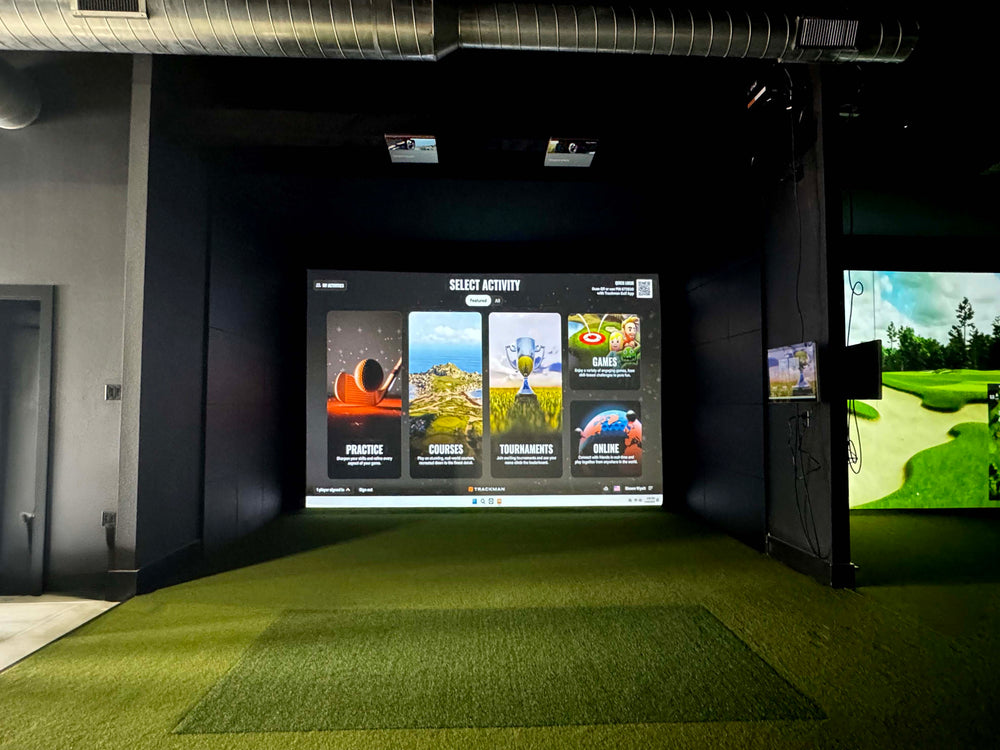
27" Touch Screen Monitor - 4K Resolution
$750.00 USD
$950.00 USD


27" Touch Screen Monitor - 4K Resolution features
A 27" 4K (3840 × 2160) touch display for controlling a golf simulator from the hitting bay. Pick courses, change clubs and adjust settings in software like GSPro without walking to the PC. Connects via HDMI for video and USB for touch, with a 60 Hz refresh.
Desktop PC Compatibility
It is designed for seamless integration with a desktop PC, specifically the Trackman iO.
27-inch Screen Size
This monitor features a 27-inch display, providing ample screen real estate for your golf simulator.
4K Resolution
Enjoy sharp and detailed visuals with the monitor's 4K resolution.
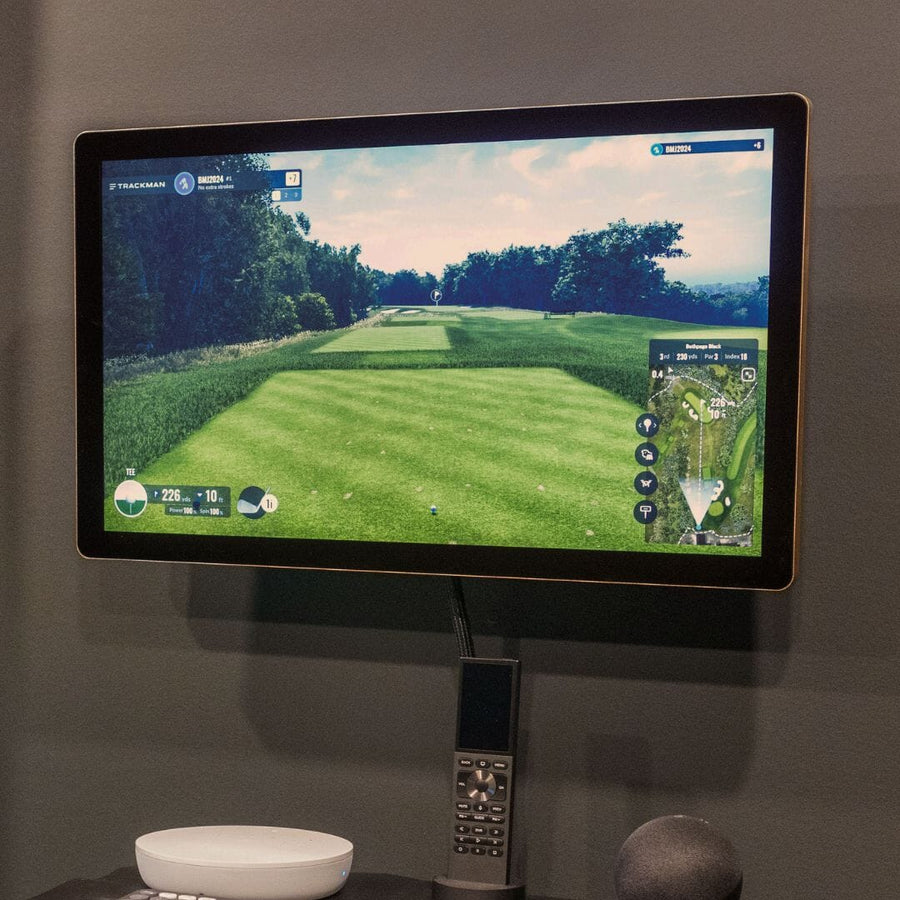
Touch Screen Functionality
The monitor offers touch screen capabilities for interactive use within your golf simulator setup.
Simulator Room Essential
This monitor is an essential component for a complete golf simulator room setup.
User-Friendly Interface
The touch screen allows for an intuitive and user-friendly interface with your simulator.
Why Golfers trust The Indoor Golf Shop
Everything You Need To Bring Golf home
From industry-leading golf equipment to custom simulator solutions, we deliver quality, expertise, and support you can count on.
SIGPRO Quality
We build our own — MyGolfSpy's top-rated impact screen and more.
Solutions for Any Golfer
Won't fit your room? We'll build one that does.
Fast Shipping
Most orders ship free to the lower 48. Details
Best Technology Prices
We buy direct — and match any lower price.
Financing
Spread the cost and golf sooner — options at checkout. Details
30-Day Returns
Changed your mind? 30 days to return. Details
Control Your Golf Simulator From the Hitting Bay
The 27" 4K Touch Screen Monitor puts your golf simulator software at your fingertips. Mount it beside your hitting area and you can pick courses, change clubs, switch practice modes and adjust settings with a tap, without walking back to the computer between shots. It is one of the most popular add-ons to our complete golf simulator builds, and it works with simulator software such as GSPro, E6 Connect and other Windows-based platforms.
Sharp 4K Picture, Clear From Any Angle
A 27-inch 4K panel with 3840 × 2160 resolution keeps course maps, shot data and menus crisp and easy to read. An edge-lit LED backlight and 16.7 million colors give a bright, accurate image, and 89-degree viewing angles in every direction mean the screen stays readable whether you are standing at the tee, stepping back to watch ball flight or sitting nearby. The 16:9 widescreen format matches modern simulator software and a 60 Hz refresh rate keeps menus and data views smooth.
Simple Connections to Your Simulator PC
The monitor connects to your computer with an HDMI cable for video and a USB cable for touch, so it works like a second screen with touch control built in. A VGA input is also included for older systems. Many golfers pair it with our golf simulator PCs, including the RTX5070 Standard Golf Simulator Desktop, the 4K RTX 5080 Premium Golf Simulator Desktop and our Golf Simulator Gaming Laptop. Run your projector from one video output and the touch screen from another, and you can control everything from the hitting bay.
Built for Simulator Rooms and Garages
The 27-inch size is large enough to read shot data from a few steps away without taking over the room, which makes it a natural fit for home studios, garages and shared family setups. Golfers often place it on a stand or wall mount at the side of the hitting area, close enough to tap between shots. Paired with a 4K projector such as the BenQ AK700ST, it gives you a clean, all-4K simulator setup.
Specifications
- Screen size: 27"
- Resolution: 4K UHD, 3840 × 2160
- Refresh rate: 60 Hz
- Aspect ratio: 16:9
- Backlight: WLED edge-lit
- Colors: 16.7 million
- Viewing angle: 89° left, right, up and down
- Inputs: 1× HDMI, 1× VGA, 1× USB (touch)
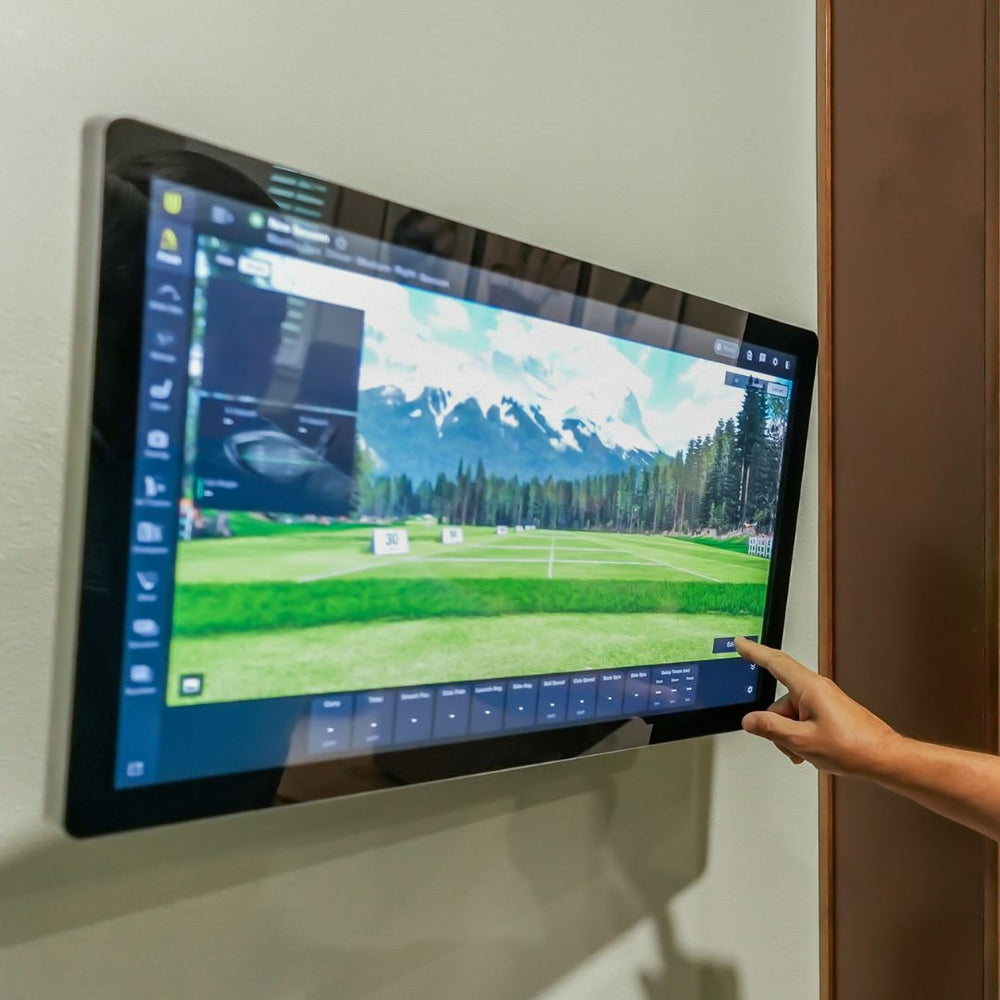
What's included
- 27" 4K Touch Screen Monitor
- Cable
27" Touch Screen Monitor - 4K Resolution specs
PC monitor
| Screen size | 27 in |
| Resolution | 4K |
| Refresh rate | 60 Hz |
| Inputs | 1× HDMI, 1× VGA, 1× USB (touch) |
Identifiers
| Brand | Shop Indoor Golf |
| MPN | TOUCHSCREEN-MONITOR-27IN |
| SKU | TOUCHSCREEN-MONITOR-27IN |
| Usage environment | Indoors |
Compare Gaming PCs
The 27" Touch Screen Monitor is a display accessory for your golf simulator, priced from $750.00. In contrast, the Gaming PC for Golf Simulators, Golf Simulator Tech Bundle with Gaming PC, RTX5070 Standard Golf Simulator Desktop, and 4K RTX5080 Premium Golf Simulator Desktop are all gaming PCs, with prices starting from $1,999.00, $2,049.99, $2,049.99, and $3,199.99 respectively.

|
$750
|
Shop Indoor Golf
|
—
|
—
|
—
|
—
|
—
|
—
|
—
|
Ships in 1 to 3 Business Days!
|
|---|---|---|---|---|---|---|---|---|---|---|

|
$1,999
|
MSI
|
NVIDIA GeForce RTX 5070 Laptop GPU, 8GB GDDR7
|
Intel Core i7-14650HX (14th gen)
|
32
|
1TB NVMe SSD
|
Windows 11 Pro
|
Laptop
|
GSPro, E6 Connect, FSX Play, TGC 2019, Awesome Golf, Creative Golf 3D, Uneekor Refine, Foresight FSX 2020, SkyTrak+, Rapsodo R-Cloud, Uneekor View
|
Ships in 1 to 3 Business Days!
|

|
From $2,049.99
|
Shop Indoor Golf
|
NVIDIA GeForce RTX 5070 Laptop GPU, 8GB GDDR7
|
Intel Core i7-14650HX (14th gen)
|
32
|
1TB NVMe SSD
|
Windows 11 Pro
|
Laptop
|
GSPro, E6 Connect, FSX Play, TGC 2019, Awesome Golf, Creative Golf 3D, Uneekor Refine, Foresight FSX 2020, SkyTrak+, Rapsodo R-Cloud, Uneekor View
|
Ships in 5 to 7 Business Days!
|
|
$2,049.99
|
Skytech Gaming
|
NVIDIA GeForce RTX 5070
|
Intel Core Ultra 7 265KF
|
32
|
1TB NVMe Gen4 SSD
|
Windows 11 Home
|
Tower
|
GSPro, E6 Connect, FSX Play, TGC 2019, Awesome Golf, Creative Golf 3D, Uneekor Refine, Foresight FSX 2020, SkyTrak+, Rapsodo R-Cloud, Uneekor View
|
Ships in 1 - 6 Business Days!
| |
|
$3,199.99
|
Skytech Gaming
|
Nvidia RTX 5080
|
Intel Ultra 7 270K
|
32
|
1TB NVMe Gen4 SSD
|
Windows 11 Home
|
Tower
|
GSPro, E6 Connect, FSX Play, TGC 2019, Awesome Golf, Creative Golf 3D, Uneekor Refine, Foresight FSX 2020, Trackman, SkyTrak+, Rapsodo R-Cloud, Uneekor View
|
Ships in 2 - 15 Business Days!
|


No gaming PCs match your search.
Reviews
27" Touch Screen Monitor - 4K Resolution Reviews
Frequently asked questions
How does the touch screen monitor connect to my golf simulator PC?
Can I use the touch screen and my projector at the same time?
Which golf simulator software works with the touch screen monitor?
What resolution is the touch screen monitor?
27" Touch Screen Monitor - 4K Resolution Delivery & support
What happens after you order: putting it together, the paperwork, and how to reach us.
Vendor Support
Hours: 8am - 6pm (CT) M-F
Support URL: https://shopindoorgolf.com/pages/contact-us
Indoor Golf Shop Support Links
Helpful links
Warranty
The Indoor Golf Shop SIG (SIGPRO) brand Limited Warranty covers manufacturing defects in materials and workmanship for the period listed for each product type:
- Golf Simulator Preferred Screens — six (6) months
- Golf Simulator Premium & Premier Screens — one (1) year
- Golf Simulator Mats and Hitting Strips — one (1) year
- Golf Simulator Enclosures — one (1) year
- Golf Nets — six (6) months
It applies to products manufactured by The Indoor Golf Shop, bought from us or an authorized dealer, to the original purchaser, and runs from the date of delivery. Exclusions include normal wear and tear, misuse, improper installation, cosmetic damage, shipping damage and weather exposure.
Extended coverage of up to 5 years is available through Mulberry, and must be bought at the same time as the product — it cannot be added later.
Terms published by Shop Indoor Golf (SIG / SIGPRO).
Protection plans
Covers manufacturer defects and accidental damage for 1 year
Full coverage for 3 years including parts and labor
Additional Protection Offered by The Indoor Golf Shop
Get peace of mind with additional coverage options from The Indoor Golf Shop, these solutions can be added to your product at the time of purchase for the best possible protection against damage or loss.
The links below are to file a claim or manage an existing plan.
Protects your order against loss, theft, or damage in transit. Add it at checkout; if a package is lost, stolen, or arrives damaged, file a claim with Route for a refund or replacement (generally within 30 days).
Extends coverage beyond the manufacturer's warranty and adds accidental-damage protection. Add a plan at checkout; manage your plan or file a claim anytime through your Mulberry account.
Helpful Videos
Demos, reviews and how-tos from our team and the golf community.
Garmin R50 Launch Monitor Review
⛳ The Garmin R50 has made waves in the world of golf technology with its sleek all-in-one design and built-in 10” HD touchscreen. But how does it stack up against other top launch monitors in terms of accuracy, ease of use, and overall value?
Trackman iO Custom Install
The Trackman iO, a premium simulator solution trusted by professionals and serious golfers across the globe, in your very own home, and you didn't have to lift a finger. We're here to make your life easier by bringing cutting edge technology and a high quality enclosure set up to your front door.
Is the Foresight GC2 the Most Accurate Launch Monitor Under $2,000?
In Jon Sherman’s testing, the GC2 delivered the best accuracy he’s seen in this price category, with ball data and simulated ball flight matching his Foresight GC3 within approximately 1% or less. The trade-offs: it measures ball data only and requires an ongoing Foresight+ subscription.
The Indoor Golf Life: Taking Care of a Golf Simulator Impact Screen (Ep. 1)
Taking good care of your golf simulator impact screen is essential to maintaining the best image quality and to guarantee the long-lasting durability of the screen.